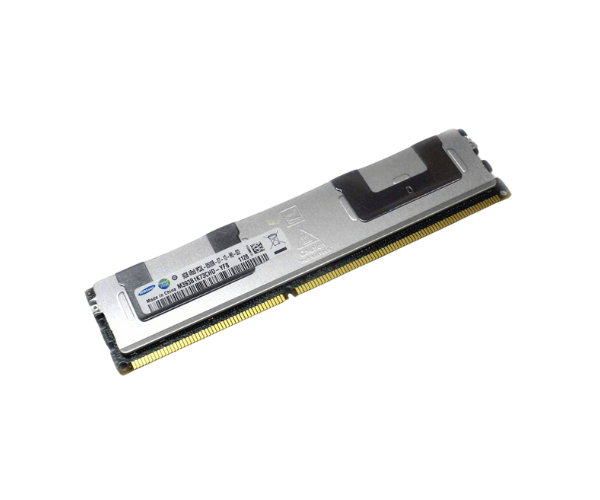
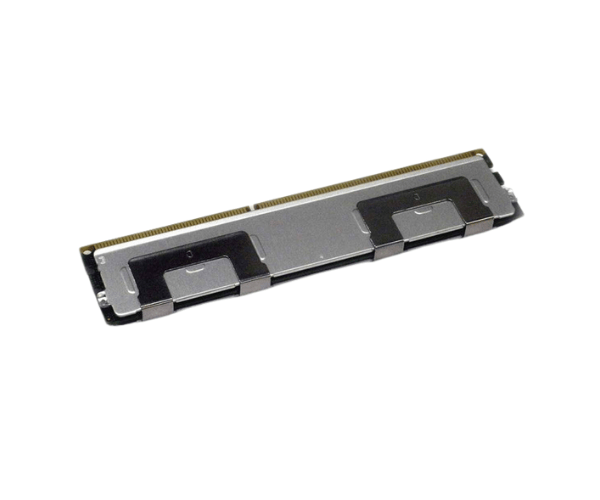
Introduction of Dell 4WYKP 8GB PC3L-8500R DDR3-1066MHz Memory
The
Dell 4WYKP 8GB PC3L-8500R DDR3-1066MHz Memory is engineered to enhance the performance of systems requiring increased memory capacity. Ideal for servers and workstations, this memory module offers stability and efficiency. With its advanced DDR3 technology and low power consumption, the Dell 4WYKP is an excellent solution for boosting system speed without compromising reliability. Whether for multitasking or handling intensive applications, this memory module offers a dependable upgrade.
Why Choose Dell 4WYKP 8GB PC3L-8500R DDR3-1066MHz Memory?
The
Dell 8GB PC3L-8500R DDR3-1066MHz Memory offers an affordable yet effective solution for upgrading your system’s memory. It provides 8GB of capacity, which is perfect for boosting performance in data-heavy environments such as servers and workstations. Operating at 1066MHz, this module ensures smoother multitasking, reduced latency, and faster data handling. Plus, its DDR3 technology provides energy efficiency, reducing power consumption with its low-voltage design. Choosing the Dell 4WYKP guarantees stability and long-term reliability, making it a great investment for users needing a dependable memory upgrade.
User Experience
Users of the
Dell 4WYKP PC3L-8500R Memory have experienced significant improvements in their system performance. Many have reported faster load times, enhanced multitasking capabilities, and improved stability. Its energy-efficient design has also been appreciated by users, as it helps lower power consumption in large data centers and office environments. The Dell 4WYKP integrates seamlessly into existing systems, with a straightforward installation process that makes upgrading quick and easy. Users who seek efficiency and reliability find this memory module to be a worthwhile investment.
Detailed Breakdown of Features
- High Capacity: With 8GB of memory, it’s suitable for demanding applications and multitasking.
- Fast Performance: Operates at 1066MHz, enhancing data access and improving overall system performance.
- Energy Efficient: Designed with low power consumption (1.35V), it saves energy while delivering consistent performance.
- Error Correction Code (ECC): ECC technology detects and corrects data errors, improving data integrity.
- Reliable Brand: Manufactured by Dell, a trusted name in hardware technology, ensuring durability and quality.
- RDIMM Form Factor: Designed for high-end systems like servers, offering increased stability for heavy workloads.
- Low Latency: Reduces system lag, resulting in smoother application performance.
- Easy Upgrade: Installing this memory module is simple, making it a hassle-free enhancement for your system.
- Compatibility: Works with a variety of systems that support DDR3 technology, providing versatility.
- Cost-Effective: Offers a balance of performance and price, making it a budget-friendly upgrade.
Installation Steps
- Power Down the System: Completely shut off the computer or server and unplug it from any power source to avoid any electrical damage.
- Open the System Case: Use a screwdriver to remove the case screws, then gently open the case to access the internal components.
- Identify the Memory Slot: Look for the DIMM slots on your motherboard, typically situated close to the CPU.
- Take Out Old Memory (if applicable): If you're swapping out an older module, carefully press the side clips to release it from the slot.
- Insert the Dell 4WYKP Memory: Align the notch on the memory module with the slot and press down firmly until the clips snap into place.
- Close the Case: Secure the case by fastening the screws back into position.
- Reconnect the Power: Plug the system back into the power source.
- Boot the System: Power on the system and access the BIOS to confirm that the new memory is recognized and functioning correctly.
Where It Can Be Used?
The
Dell 8GB PC3L-8500R DDR3-1066MHz Memory can be utilized in various applications, including:
- Servers: Ideal for upgrading server memory, improving data processing, and handling large workloads.
- Workstations: Perfect for professional workstations that require faster data access for tasks like graphic design and video editing.
- Data Centers: A great solution for boosting memory capacity in data centers, ensuring smooth operation of multiple servers.
- Office Environments: Enhances the performance of office PCs handling multiple tasks simultaneously.
- Research Labs: Supports systems running memory-intensive research applications, ensuring efficient performance.