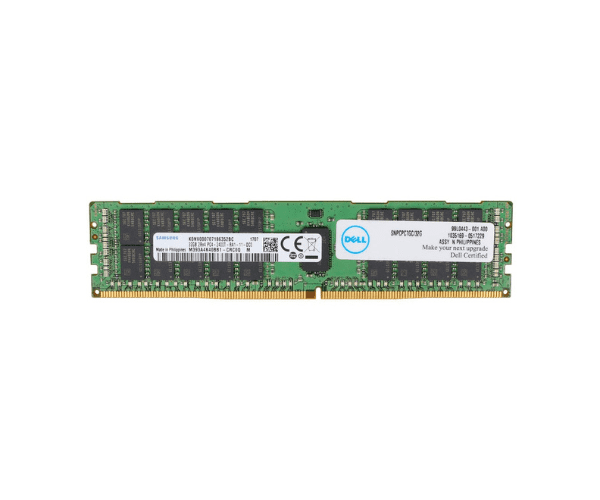
Introduction of Dell 16GB 0CPC7G 4Rx4 PC3-8500R Server Memory
The
Dell 16GB 0CPC7G 4Rx4 PC3-8500R Server Memory is designed to enhance server performance with its robust capacity and reliable operation. Ideal for data-intensive applications, this memory module ensures seamless data handling and optimized system efficiency.
Detailed Breakdown of Features
The
Dell 16GB Server Memory offers exceptional capabilities tailored for demanding server environments. Operating at a speed of 1066MHz, it supports efficient data processing and multitasking. The 16GB capacity provides ample storage for critical applications and large datasets. Its 4Rx4 configuration enhances data transfer rates and reliability, while DDR3 technology ensures energy efficiency and reduced power consumption. The module also integrates ECC (Error-Correcting Code) for error detection and correction, maintaining data integrity and system stability under heavy workloads.
User Experience
Users of the
Dell 16GB Server Memory experience enhanced server performance and reliability. The increased memory capacity and high-speed operation contribute to faster application response times and reduced latency, improving overall system responsiveness. Businesses benefit from seamless operation of mission-critical applications, making this memory module essential for modern server infrastructures.
Why Choose the Dell 16GB 0CPC7G 4Rx4 PC3-8500R Server Memory?
Choosing the
Dell 16GB Server Memory ensures optimal server performance. This product offers a perfect combination of capacity, speed, and reliability, making it ideal for organizations seeking to maximize server efficiency. Its ECC capabilities provide data accuracy and system stability, crucial for uninterrupted business operations.
Key Features
| Feature |
Description |
| Capacity |
16GB |
| Speed |
1066MHz |
| Configuration |
4Rx4 |
| Technology |
DDR3 |
| Error Correction |
Yes (ECC) |
| Form Factor |
DIMM |
| Power Consumption |
Low power |
| Compatibility |
Compatible with various Dell server models |
Installation Steps
- Power down the server and disconnect it from the power source.
- Open the server chassis to access the memory slots.
- Identify an available memory slot or remove an existing module if upgrading.
- Align the Dell 16GB Server Memory with the slot, ensuring the notch matches the key.
- Firmly press the module into the slot until it clicks into place.
- Close the server chassis and reconnect the power source.
- Power on the server and verify the new memory is detected in the BIOS.
Where It Can Be Used?
The
Dell 16GB 4Rx4 PC3-8500R Server Memory is suitable for deployment in various server environments, including data centers, enterprise servers, and virtualized infrastructures. Its high capacity and reliable performance make it ideal for handling intensive workloads and critical applications effectively.