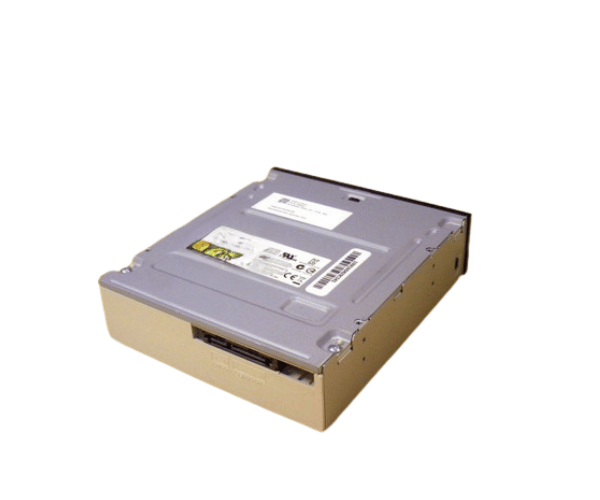
Introduction of Dell Y8W8J 5.25 Optical Drive DVD-ROM
The Dell Y8W8J 5.25 Optical Drive DVD-ROM is a reliable and efficient solution for reading DVDs in both personal and professional settings. This optical drive delivers stable and consistent performance, enhancing any desktop computer setup. Whether you need it for multimedia playback, software installation, or data retrieval, the Dell Y8W8J offers the reliability and quality expected from a Dell product.
Why Choose the Dell Y8W8J 5.25 Optical Drive DVD-ROM?
Choosing the Dell Y8W8J Optical Drive DVD/ROM ensures that you are investing in a product that combines quality, performance, and reliability. This drive consistently delivers reliable read speeds and works seamlessly with various operating systems. Its SATA interface ensures a fast and secure connection to your computer, providing smooth data transfer for all your needs. Whether you're looking to install software, play DVDs, or access important data, the Dell Y8W8J is up to the task.
User Experience
Users of the Dell 5.25
Optical Drive DVD ROM consistently report satisfaction with its performance and reliability. The drive is easy to install and use, making it an ideal choice for both tech-savvy individuals and those who are less experienced with computer hardware. Its fast read speeds and seamless operation make it a popular choice for those needing a dependable optical drive.
Detailed Breakdown of Features
The Dell Y8W8J 5.25 Optical Drive DVD offers dependable and efficient functionality. Its 5.25-inch form factor easily fits into most desktop cases. The SATA interface ensures you experience quick and stable data transfer. With support for up to 16x read speed for DVDs, it guarantees fast media playback and data retrieval. The drive works seamlessly with both Windows and Linux, enhancing its versatility.
Installation Step
- Power Down the Computer: Make sure the computer is turned off and unplugged from the power source.
- Remove the Side Panel: Open the computer case by taking off the side panel to access the internal components.
- Insert the Drive: Slide the Dell DVD-ROM drive into an available 5.25-inch bay.
- Secure the Drive: Fasten the drive in place using screws to ensure it is securely mounted.
- Connect the SATA Cable: Attach the SATA data cable to the drive and the corresponding port on the motherboard.
- Attach the Power Cable: Connect the power cable from the power supply to the drive.
- Close the Case: Replace the side panel of the computer case.
- Restore Power: Plug the computer back into the power source and turn it on. The operating system will automatically recognize the new drive.
Where It Can Be Used?
The
Dell Y8W8J Optical Drive DVD/ROM is suitable for a wide range of environments, including home offices, small businesses, and educational institutions. It is ideal for tasks such as software installation, DVD playback, and data retrieval from DVD ROMs. Its compatibility with various operating systems makes it versatile for use across different platforms.