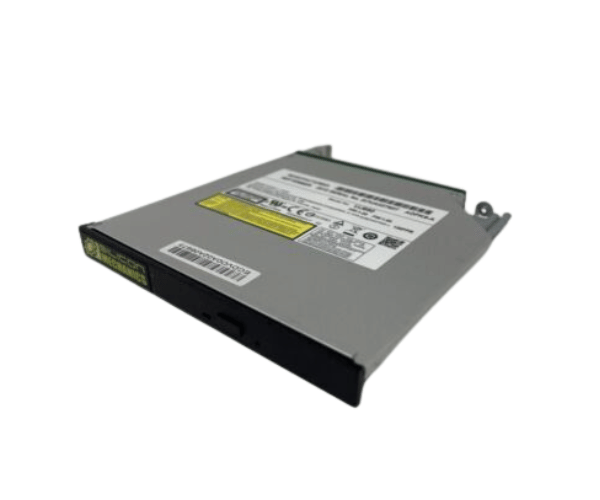
Introduction of Dell WFD71 DVD-ROM SATA 12.7 16x Slimline
The Dell WFD71 DVD-ROM SATA 12.7 16x Slimline is a powerful and compact optical drive designed for seamless media playback and data retrieval. This drive offers an impressive speed of 16x, making it a perfect choice for users who need reliable performance in a slim form factor. Whether you're looking to watch movies, install software, or access important files, this drive delivers efficiency and versatility.
Why Choose Dell WFD71 DVD-ROM SATA 12.7 16x Slimline?
The Dell WFD71 DVD-ROM SATA 16x Slimline stands out for its combination of performance, design, and compatibility. Its 16x reading speed ensures quick access to your media and data, while the slimline design allows it to fit effortlessly into various computer setups. Choosing the Dell WFD71 means investing in a reliable optical drive that meets all your multimedia needs, making it an excellent addition to any system.
User Experience
Users have reported a highly positive experience with the Dell WFD71 DVD-ROM SATA 12.7 Slimline. Its installation is straightforward, and once connected, it operates quietly while delivering impressive reading speeds. Many appreciate its compatibility with various disc formats, allowing them to access a wide range of media. The compact size is also a significant advantage for those with limited space in their setups.
Detailed Breakdown of Features
The Dell WFD71 DVD-ROM SATA 16x Slimline offers a range of features that enhance its functionality. The SATA interface provides a stable connection, ensuring efficient data transfers with minimal interruptions. It supports various disc formats, including DVDs and CDs, making it versatile for different media types. The drive's slimline design not only saves space but also adds a sleek look to your computer setup. Additionally, it is lightweight, making it easy to install and transport if needed. The drive’s reliability is enhanced by Dell’s commitment to quality, ensuring that users can depend on it for their media needs.
Installation Steps
- Power Off the Computer: Ensure your computer is completely turned off and unplugged from the power source.
- Open the Computer Case: Carefully remove the side panel to access the internal components.
- Locate the Drive Bay: Identify the appropriate slimline bay for the Dell WFD71 DVD-ROM.
- Insert the Drive: Slide the Dell into the bay, ensuring it fits securely.
- Connect the SATA Cable: Attach the SATA cable from the drive to the motherboard.
- Attach the Power Cable: Connect the power cable to the drive to provide necessary power.
- Reattach the Computer Case Panel: Securely position the side panel back onto the computer case, ensuring it fits snugly into place.
- Power On Your Computer: Turn on your computer and install any necessary drivers.
Where It Can Be Used?
The
Dell WFD71 DVD-ROM SATA 16x Slimline is ideal for both home and office environments. It can be used in desktop computers, laptops, and all-in-one PCs where space is limited. Whether you're watching movies, backing up data, or installing applications, this optical drive fits perfectly into various usage scenarios, including educational settings, professional workspaces, and personal media centers.