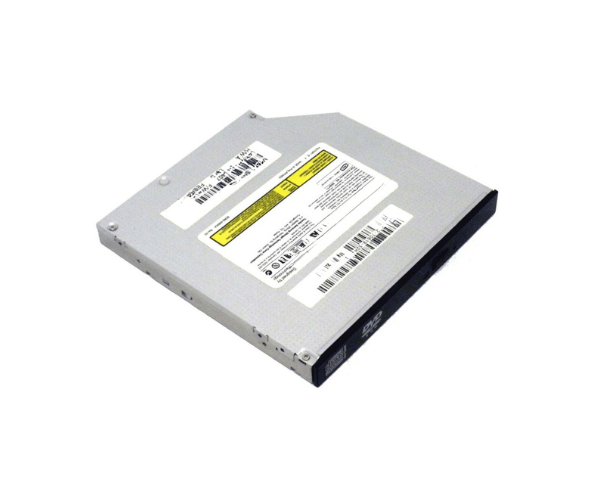
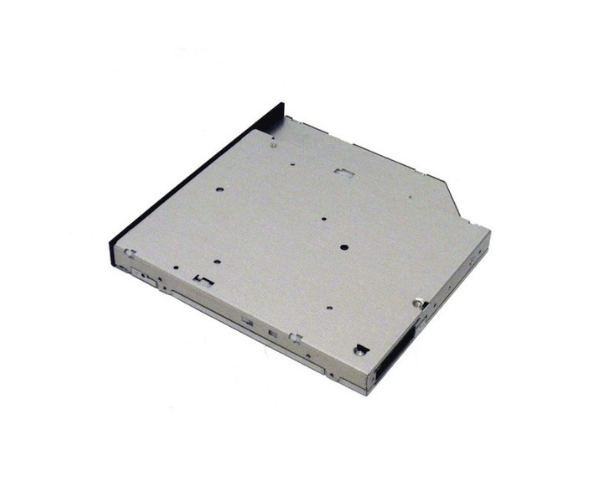
Introduction of Dell W7762 8X/24X DVD/CD-RW IDE Drive
The Dell W7762 8X/24X DVD/CD-RW IDE Drive is a versatile optical drive. It meets various data storage needs. This drive combines the functions of a DVD-ROM and a CD-RW drive. Users can read and write data efficiently. It is ideal for personal and professional use. The Dell W7762 delivers high performance in a reliable package.
Why Choose the Dell W7762 8X/24X DVD/CD-RW IDE Drive?
Selecting the Dell W7762 8X 24X DVD/CD-RW IDE Drive is an excellent choice for users seeking reliable performance in a compact design. This drive provides fast read and write speeds, making it ideal for quick data access and backup. The versatile format support ensures compatibility with a variety of media, allowing users to manage their data effectively. By integrating the Dell W7762 into your system, you will experience seamless operation and excellent reliability, whether for home or office use.
User Experience
Customers frequently commend the Dell W7762 8X/24X DVD/CD-RW IDE Drive for its reliable performance and user-friendly design. Many report that the installation process is straightforward, allowing them to quickly integrate the drive into their existing setups. The fast read and write speeds have been noted to significantly reduce the time needed for data transfer, enhancing productivity. Furthermore, the compact design saves valuable space within the computer case, making it a popular choice among users with limited room for additional components.
Detailed Breakdown of Features
The Dell W7762 8X 24X DVD/CD-RW
IDE Drive is packed with features that enhance its usability and performance. It supports a wide range of media formats, including DVD-ROM, CD-R, and CD-RW, providing users with the flexibility to read and write various types of data. With a maximum read speed of 8X for DVDs and 24X for CDs, this drive ensures quick access to files and media. The IDE interface guarantees stable connections and easy integration into older systems. Furthermore, the lightweight and compact design makes installation simple and efficient, making it an excellent choice for anyone looking to upgrade their optical drive.
Installation Steps
- Turn Off the Computer: Make sure the computer is completely powered down and unplugged from the electrical outlet.
- Remove the Case Panel: Take off the side panel of the computer case to access the internal components easily.
- Position the Drive: Carefully slide the Dell DVD/CD-RW Drive into an available 5.25-inch bay. Secure it in place using screws to prevent movement.
- Connect the IDE Cable: Firmly attach the IDE cable to the drive and connect the other end to the motherboard, ensuring a tight fit.
- Attach the Power Cable: Connect the power cable from the power supply unit to the drive, making sure it fits snugly.
- Replace the Case Panel: Put the side panel back on the computer case, securing it properly.
- Reconnect the Power: Plug the power cable back into the electrical outlet and turn on the computer.
Where Can It Be Used?
The
Dell W7762 8X 24X DVD/CD-RW IDE Drive suits various environments. Home users can enjoy playing DVDs or burning CDs for music and data storage. In a business setting, this drive enables data backups, software installations, and media playback. Its ability to work with different operating systems enhances its versatility for use on multiple platforms.