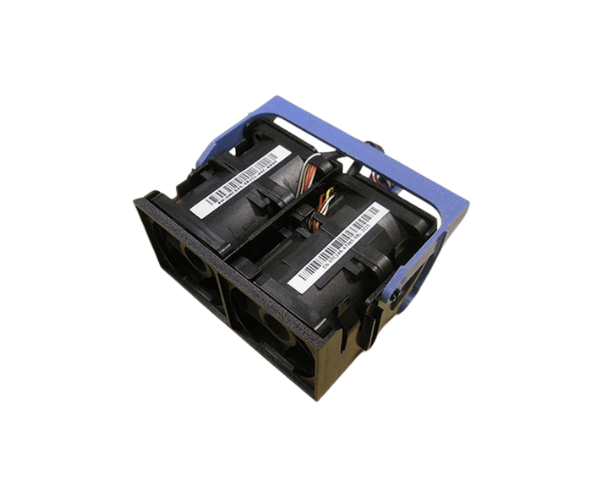
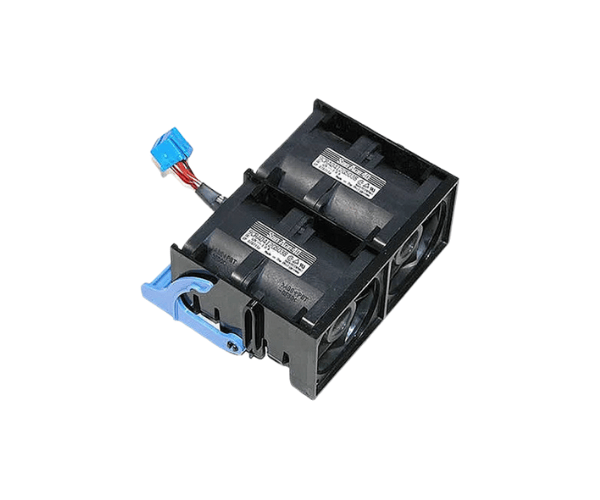
Introduction of Dell TC146 CPU Fan Assembly PowerEdge 1950
The
Dell TC146 CPU Fan Assembly for the
PowerEdge 1950 is crucial for efficient server cooling. Servers generate heat during operation, which can affect their performance and reliability. The
Dell TC146 fan is designed to provide optimal airflow and temperature control. This makes it essential for maintaining your server's longevity. Whether you manage a small business or a large data center, this cooling solution is vital. It ensures that your systems operate seamlessly and at peak efficiency.
Why Choose Dell TC146 CPU Fan Assembly PowerEdge 1950?
Opting for the
Dell CPU Fan Assembly for the
PowerEdge 1950 ensures you get a reliable and effective cooling solution tailored for your server’s needs. This fan assembly provides powerful airflow while minimizing noise, making it perfect for any environment. The fan operates at high speeds, ensuring effective heat dissipation and preventing potential system failures due to overheating. Its design promotes easy installation and compatibility with the
PowerEdge 1950, allowing you to enhance your server's performance without hassle.
User Experience
Users appreciate the
Dell TC146 for its effectiveness and quiet operation. Many report noticeable improvements in server temperatures and overall performance after installing this fan assembly. Its durable construction and reliable operation provide peace of mind, especially in environments where cooling is paramount. Additionally, users find the installation process straightforward, requiring minimal technical expertise.
Detailed Breakdown of Features
- High-Speed Performance: The Dell TC146 operates at speeds of up to 6000 RPM, ensuring effective cooling for your CPU.
- Low Noise Operation: Despite its powerful performance, this fan maintains a low noise level, making it suitable for office environments.
- Easy Installation: Designed for compatibility with the PowerEdge 1950, the installation process is quick and straightforward, requiring only basic tools.
-
Sturdy Build: Constructed from premium materials, the Dell TC146 guarantees reliable performance and durability over time.
- Enhanced Airflow: The fan assembly is engineered to provide optimal airflow, preventing heat buildup and ensuring efficient cooling.
Installation Steps
- Power Down the Server: Before beginning, ensure the server is powered off and unplugged to prevent any electrical hazards.
- Open the Server Chassis: Remove the screws or clips securing the chassis cover and gently lift it off to access the internal components.
- Locate the CPU Fan Slot: Identify the CPU fan slot on the motherboard where the Dell TC146 will be installed.
- Remove the Old Fan: If replacing an existing fan, detach the old fan by unscrewing it or releasing any clips holding it in place.
- Install the Dell TC146: Align the Dell TC146 fan with the mounting holes and secure it using screws or clips as required.
- Connect the Wiring: Attach the 4-pin connector to the appropriate header on the motherboard, ensuring a secure fit.
- Close the Server Chassis: Replace the chassis cover and secure it with screws or clips.
- Power On the Server: Plug the server back in and power it on to test the new fan assembly.
Where It Can Be Used?
The
Dell TC146 CPU Fan is ideal for use in data centers, server rooms, and office environments where
PowerEdge 1950 servers operate. Its efficient cooling capabilities make it a suitable choice for any application that requires reliable thermal management, ensuring that servers maintain optimal performance even under heavy loads.