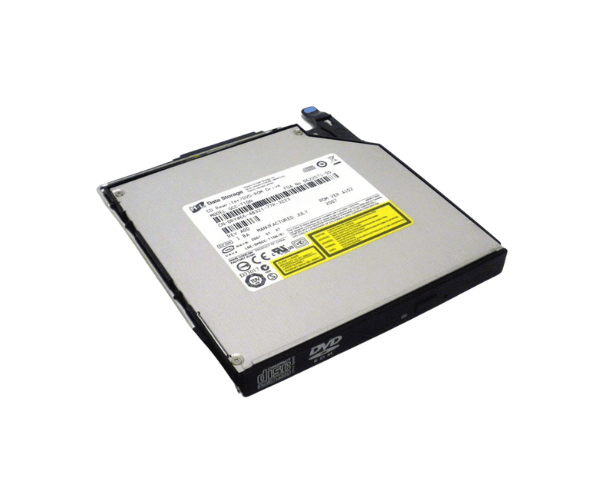
Overview of Dell RY466 CD-RW/DVD-ROM Combo Slimline Optical Drive
The Dell RY466 CD-RW/DVD-ROM Combo Slimline Optical Drive is a versatile solution for all your media needs. This drive combines the functionality of a CD writer and a DVD-ROM in a sleek, slimline design, making it an ideal choice for both desktop and laptop users. With its ability to read and write CDs and DVDs, the Dell RY466 provides seamless access to your favorite movies, music, and important data.
Why Choose the Dell RY466 CD-RW/DVD-ROM Combo Slimline Optical Drive?
The Dell RY466 CD-RW DVD-ROM Combo Slimline Optical Drive stands out for its unique ability to read and write both CDs and DVDs. This dual functionality means you can create backup copies of important files, enjoy multimedia entertainment, and access a wide range of data formats. Its compact design also allows for easy integration into any setup, making it a smart choice for those who value both performance and space.
User Experience
Users consistently praise the Dell RY466 for its reliability and efficiency. Many appreciate the quick installation process and the smooth operation of the drive. Whether it’s for watching movies, installing software, or backing up data, users find the Dell RY466 to be a dependable choice that meets their needs. Its seamless performance has made it a favorite among both casual users and professionals alike.
Detailed Breakdown of Features
The Dell RY466 CD-RW DVD-ROM Combo Slimline Optical Drive offers an impressive array of features that enhance its usability. Its dual-functionality allows users to write data to CDs and read DVDs, making it a versatile option for different media formats. With a CD write speed of up to 24x, users can quickly create copies of their important files or burn music albums without delay. The drive is compatible with multiple disc formats, guaranteeing functionality with a wide range of CDs and DVDs. Its slim design maximizes space efficiency while seamlessly integrating into your computer system. Additionally, the SATA interface guarantees a stable connection, promoting smooth data transfers while minimizing interruptions.
Installation Steps
- Turn Off Your Computer: Begin by shutting down your computer and unplugging it from the power source.
- Open the Computer Case: Carefully remove the computer case to access the internal drive bays.
- Identify the Drive Bay: Locate the appropriate bay for the Dell Combo Slimline Optical Drive.
- Install the Drive: Carefully place the drive into the bay, making sure it is positioned securely.
- Connect the SATA Data Cable: Attach the SATA data cable from the drive to the motherboard for data transfer.
- Connect the Power Cable: Link the power cable to the optical drive to supply the required electrical power for operation.
- Close the Computer Case: Replace the computer case and secure it properly.
- Reconnect Power and Boot Up: Plug your computer back in and power it on.
Where It Can Be Used?
The
Dell RY466 CD-RW DVD-ROM Combo Slimline Optical Drive is perfect for various applications, making it an essential tool for different users. It is ideal for software installation, allowing you to easily set up applications from CDs or DVDs. The drive is also excellent for multimedia playback, enabling you to enjoy movies and music from optical discs. Additionally, it serves as a reliable solution for data backup, providing a means to archive important files onto CDs or DVDs. In office environments, this combo drive is particularly useful for businesses that still rely on CDs for specific tasks. Its capability to read both CD and DVD formats makes it a versatile option for anyone looking to enhance their computing experience.