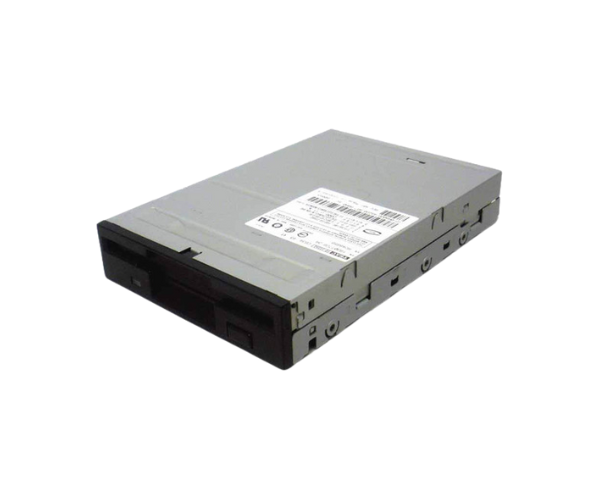
Introduction of Dell R8026 1.44MB Floppy Drive
The
Dell R8026 1.44MB Floppy Drive is a reliable and classic storage solution designed for users who need to access or transfer data from legacy floppy disks. Although technology has advanced with modern storage devices, many businesses and individuals still have valuable data stored on floppy disks, making this drive essential. Whether you are retrieving old files, working with legacy systems, or simply need a durable solution for specific tasks, the
Dell 1.44MB Floppy Drive offers the functionality you require.
Why Choose the Dell R8026 1.44MB Floppy Drive?
Choosing the
Dell 1.44MB Floppy Drive is a wise decision for those who need to access valuable data stored on floppy disks. It provides dependable performance and guarantees compatibility with older systems. As floppy drives become harder to find, the
Dell 1.44MB Floppy Drive is a cost-effective solution that guarantees continued access to legacy data, while being durable enough for regular use.
User Experience
Users who have chosen the
Dell 1.44MB Floppy Drive report a smooth and efficient experience in accessing old data. Installation is easy, and the drive fits seamlessly into legacy systems. Its compact size and reliability make it an ideal choice for businesses and individuals who still have important data stored on floppy disks. Whether for archiving purposes or for accessing old files, this floppy drive meets users' expectations.
Detailed Breakdown of Features
- Brand Name: Dell – Renowned for quality and durability.
- Storage Capacity: 1.44 MB – Standard for floppy drives, ideal for small files.
- Interface: IDE/ATAPI – Ensures compatibility with older systems.
- Form Factor: 3.5-inch internal drive – Compact and fits seamlessly into existing systems.
- Compatibility: Works with most legacy Dell systems and many others.
- Data Transfer Speed: Standard floppy speed, suitable for data reading and writing.
- Durability: Built to withstand regular use without frequent failure.
- Easy Installation: Simple to install, even for those unfamiliar with hardware setup.
- Energy Efficiency: Requires minimal power for operation.
- Reliable Performance: Consistent data reading and writing with minimal errors.
Installation Steps
- Turn off the system: Power down the computer and unplug all cables.
-
Open the computer case: Unscrew the case and carefully remove the side panel.
- Find the drive bay: Look for an available 3.5-inch slot for the floppy drive.
- Insert the drive: Slide the Dell Floppy Drive into the bay.
- Secure the drive: Use screws to fasten the drive into place.
- Connect cables: Attach the IDE ribbon cable to the drive and the motherboard, and connect the power cable.
- Close the case: Reattach the side panel and fasten it securely with the screws.
- Power on the system: Plug in all cables and turn the system back on.
- Install drivers if needed: Depending on your operating system, install the necessary drivers.
- Test the drive: Insert a floppy disk to ensure the drive is working correctly.
Where It Can Be Used?
The
Dell 1.44MB Floppy Drive is ideal for legacy systems, businesses needing access to archived data, and institutions with historical files stored on floppy disks. It is commonly used in industries like education, research, and manufacturing, where older systems may still be in use, and for accessing critical data on outdated media.