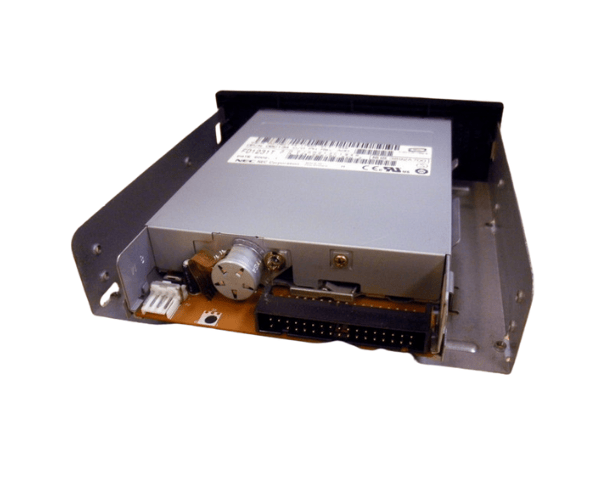
Introduction of Dell 6C134 1.44MB 3.5" Floppy Drive for PowerEdge 1400SC
The
Dell 6C134 1.44MB 3.5" Floppy Drive is a crucial part specifically created for the Dell PowerEdge 1400SC server. This floppy drive provides reliable access to legacy data, ensuring compatibility with older systems and making it an excellent choice for businesses that still utilize floppy disks for data transfer and storage.
Why Choose the Dell 6C134 1.44MB 3.5" Floppy Drive for PowerEdge 1400SC?
Choosing the
Dell 1.44MB 3.5" Floppy Drive ensures that you can access your legacy data efficiently. It seamlessly integrates with the PowerEdge 1400SC, providing a reliable solution for businesses that still rely on floppy disks. Its compatibility with older systems makes it a valuable addition to any server environment where data preservation and accessibility are priorities.
User Experience
Users appreciate the
Dell 1.44MB 3.5" Floppy Drive for its straightforward installation process and dependable performance. Many have reported positive experiences in retrieving essential data from floppy disks, ensuring smooth operations in their IT environments. The drive's durability and compatibility with the PowerEdge 1400SC contribute to user satisfaction and trust in this product.
Detailed Breakdown of Features
- Reliable Performance: Provides consistent access to floppy disks, ensuring that legacy data is always within reach.
- Easy Installation: Designed for quick setup, allowing users to integrate the drive without hassle.
- Compatibility: Specifically designed for the Dell PowerEdge 1400SC, ensuring optimal performance and functionality.
- Standard Capacity: Supports the common 1.44MB floppy disk format, ideal for typical data transfer needs.
- Durable Design: Built to withstand regular usage while maintaining high performance.
- Legacy Data Access: Perfect for accessing older files that are still stored on floppy disks, making it a vital tool for many businesses.
- Efficient Connectivity: Uses an IDE/ATAPI interface for easy integration with existing systems.
- Compact Size: Fits into standard 3.5-inch drive bays, maximizing space efficiency in server setups.
- Cost-Effective Solution: An economical option for organizations needing to access older data formats without investing in new technology.
- Trusted Brand: As a Dell product, it comes with the reliability associated with the brand.
Installation Steps
- Prepare the Workspace: Ensure the server is powered off and unplugged.
- Open the Server Case: Remove the screws and gently slide off the side panel.
- Locate the Drive Bay: Identify an available 3.5-inch bay within the server.
- Connect the Floppy Drive: Insert the Dell Floppy Drive into the bay.
- Connect the cables: Fasten the IDE ribbon cable and power connector securely to the floppy drive.
- Close the Server Case: Securely put back the side panel and fasten the screws.
- Power On the Server: Plug in the server and turn it on to test the floppy drive functionality.
Where It Can Be Used?
The
Dell 1.44MB 3.5" Floppy Drive is ideal for various applications, including:
- Data retrieval from legacy floppy disks in business settings.
- Archiving important documents stored on floppy disks.
- Maintenance of older systems that require floppy disk access.
- Education and research environments where floppy disks may still be in use.