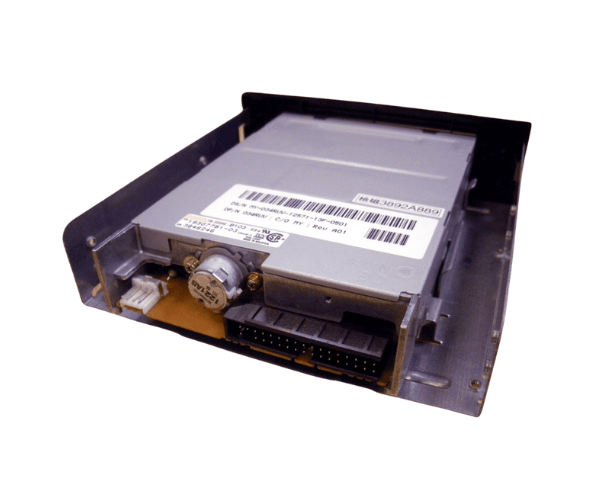
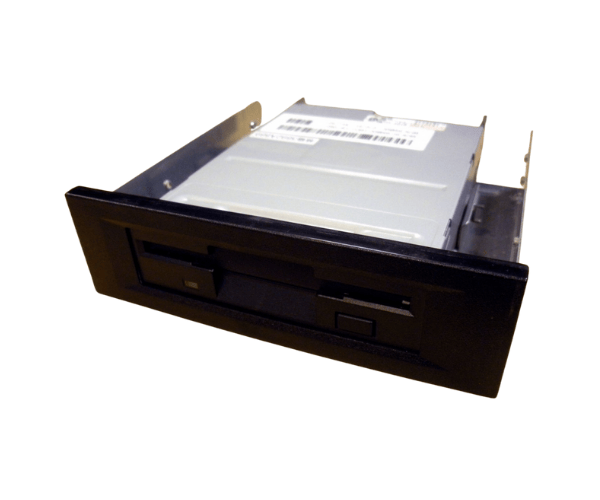
Overview of Dell 34RUV 1.44MB 3.5" Floppy Drive for PowerEdge 2400 6400
The
Dell 34RUV 1.44MB 3.5" Floppy Drive for PowerEdge 2400 6400 is an essential component designed specifically for the Dell PowerEdge 2400 and 6400 servers. This floppy drive enables users to access, read, and write data on 3.5-inch floppy disks, providing a reliable solution for managing legacy data. Despite the prevalence of modern storage devices, many businesses and individuals still depend on floppy disks for archiving and accessing older files. With its robust design and efficient performance, the
Dell 34RUV Floppy Drive ensures compatibility and ease of use for those who require it.
Why Choose the Dell 34RUV 1.44MB 3.5" Floppy Drive for PowerEdge 2400 6400?
Choosing the
Dell 1.44MB 3.5" Floppy Drive for your PowerEdge 2400 or 6400 servers is a smart decision for anyone needing to access legacy data. This drive provides exceptional reliability, ensuring that users can retrieve important information stored on floppy disks without hassle. Its compatibility with older Dell systems makes it a practical choice for businesses that still rely on floppy disks for data storage. By incorporating the
Dell Floppy Drive, you can maintain access to critical legacy data, making it a valuable addition to your technology setup.
User Experience
Users who have integrated the
Dell 1.44MB Floppy Drive into their systems report a positive experience overall. The installation process is straightforward, and the drive operates seamlessly once set up. Users appreciate the convenience it provides for accessing older files and transferring data from floppy disks. Many find the
Dell Floppy Drive to be reliable and efficient, allowing them to effectively manage their data needs without complications. Its user-friendly design ensures that both technical and non-technical users can operate it with ease.
Detailed Breakdown of Features
- Brand Name: Dell – A trusted name in computer hardware known for quality.
- Model: 34RUV – Specifically designed for optimal compatibility with Dell PowerEdge systems.
- Drive Type: 3.5-inch floppy drive – Standard for floppy disk access, perfect for data retrieval.
- Capacity: 1.44 MB – Sufficient for small files and legacy data storage.
- Interface: IDE/ATAPI – Ensures reliable connectivity with older systems.
- Form Factor: Internal – Fits seamlessly into standard 3.5-inch drive bays.
- Power Supply: 5V DC – Efficient power consumption for sustainable use.
- Dimensions: Compact design – Measures 4.00 x 5.75 x 1.00 inches for easy integration.
- Weight: Lightweight – Weighs only 0.5 lbs, simplifying installation.
- Compatibility: Tailored for Dell PowerEdge 2400 and 6400 systems, guaranteeing a perfect fit.
Installation Steps
- Power off the system: Ensure the server is completely shut down and unplugged.
- Open the server case: Remove the screws and carefully slide off the side panel to access the internal components.
- Locate the 3.5-inch bay: Identify an empty slot within the drive bays for the floppy drive.
- Insert the floppy drive: Gently slide the Dell Floppy Drive into the available bay.
- Secure the drive: Use screws to fasten the drive in place, ensuring it is stable.
- Connect the cables: Securely attach the IDE ribbon cable and power connector to the floppy drive.
- Close the server case: Replace the side panel and secure it with screws.
- Reconnect power: Plug the server back in and turn it on.
- Install necessary drivers: Follow any prompts to install drivers if needed.
- Test the drive: Insert a floppy disk to confirm the drive is functioning correctly.
Where It Can Be Used?
The
Dell 1.44MB 3.5" Floppy Drive is ideal for environments where access to legacy data is essential. It is commonly used in:
- Businesses that need to retrieve archived files stored on floppy disks.
- Educational institutions that utilize older materials and resources.
- IT professionals requiring access to legacy data for troubleshooting or data migration.
- Medical facilities where historical patient data may be stored on floppy media.