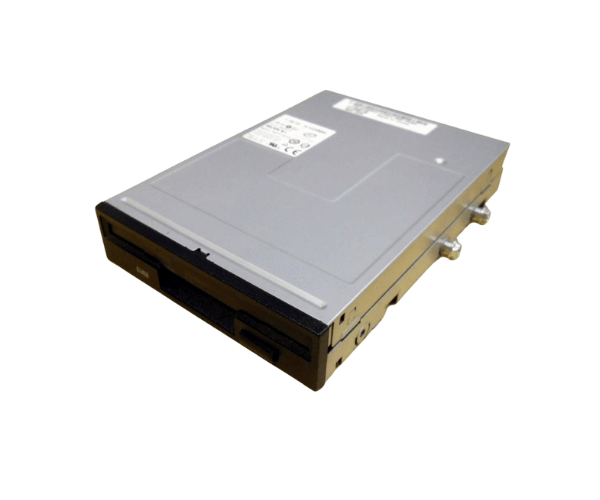
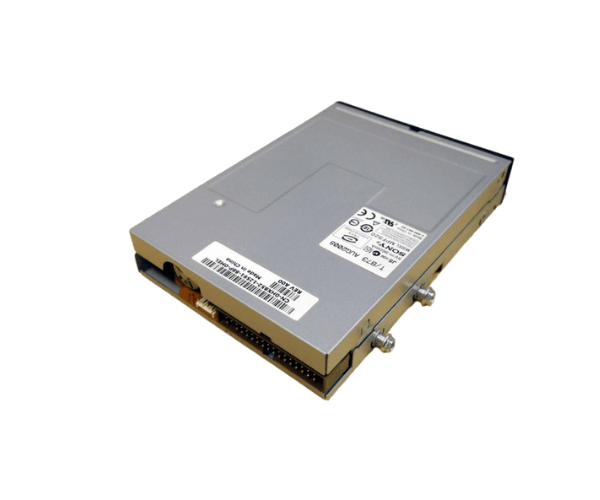
Introduction of Dell HX852 T300 Floppy Drive
The
Dell HX852 T300 Floppy Drive is a reliable storage solution for older Dell systems. It accesses legacy data from floppy disks efficiently. This makes it an essential tool for users who need to retrieve information from outdated media formats. With seamless compatibility, the Dell HX852 T300 delivers high performance. It effectively meets your data retrieval needs. Access important information with ease.
Why Choose the Dell HX852 T300 Floppy Drive?
Selecting the
Dell HX852 Floppy Drive is an excellent choice for users needing access to older data formats. This drive not only provides reliable performance but also ensures compatibility with various older Dell systems. It is perfect for IT professionals and businesses looking to retrieve important data from floppy disks.
User Experience
Users have consistently reported positive experiences with the
Dell T300 Floppy Drive. Its straightforward installation process and seamless operation make it a favorite among those working with legacy systems. Customers appreciate its ability to read and write floppy disks efficiently, allowing for quick access to important information.
Detailed Breakdown of Features
- Reliable Performance: The Dell T300 Floppy Drive ensures consistent operation and smooth, efficient data retrieval.
- Legacy Compatibility: This drive is compatible with various older systems, making it a versatile choice for users needing to access floppy disks.
- Compact Design: With its 3.5-inch form factor, the Dell HX852 T300 easily fits into standard drive bays without requiring additional modifications.
- Easy Installation: The installation process is user-friendly, requiring only basic tools and a little technical knowledge to connect it properly.
- IDE/ATAPI Interface: The drive uses the IDE/ATAPI interface, which provides reliable connectivity with older devices.
- Lightweight Build: Weighing approximately 1 lb, the Dell HX852 T300 is easy to handle and install.
- Efficient Data Transfer: With a read speed of 1.0 MB/s and a write speed of 500 KB/s, users can quickly access and transfer their data.
- Durability: Built to last, the Dell T300 Floppy Drive is designed for frequent use, ensuring longevity in various environments.
- Cost-Effective Solution: For those looking to access legacy data without breaking the bank, this drive offers an economical choice.
- Trusted Brand: As a product from Dell, users can trust in the quality and performance that comes with the brand's reputation.
Installation Steps
- Open the Computer Case: Carefully remove the screws securing the computer case and slide the panel off to access the internal components.
- Locate the Drive Bay: Identify an available 3.5-inch bay where the floppy drive will be installed.
- Insert the Floppy Drive: Gently slide the Dell Floppy Drive into the bay until it is snugly fit.
- Connect the Cables: Securely attach the IDE ribbon cable and the power connector to the back of the floppy drive.
- Close the Case: Reattach the side panel of the computer case and secure it with the screws.
- Test the Drive: Turn on the system and insert a floppy disk to check if the drive operates correctly.
Where It Can Be Used?
The
Dell T300 Floppy Drive is ideal for various applications, including:
- Retrieving important data from older floppy disks in corporate environments.
- Archiving legacy information in educational institutions.
- Accessing and transferring files for system maintenance and upgrades.