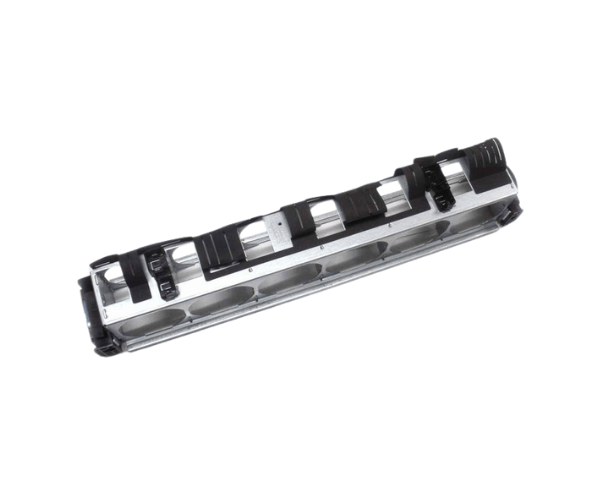
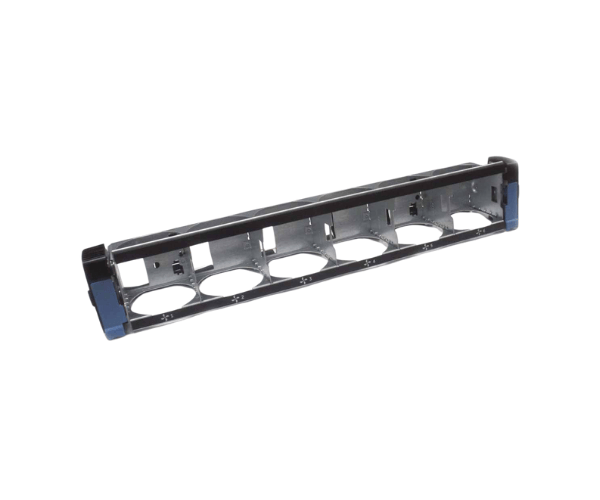
Introduction of Dell PN3W9 6x Fan Tray Assembly
The
Dell PN3W9 6x Fan Tray Assembly is a vital component for maintaining optimal performance in PowerEdge R720 servers. This fan assembly ensures effective cooling, preventing overheating and ensuring that your server operates at peak efficiency. With its advanced design and reliable performance, this fan tray is essential for any data center or IT environment looking to enhance server reliability and longevity. Upgrading your server with the Dell PN3W9 fan assembly will significantly contribute to its performance and lifespan.
Why Choose the Dell PN3W9 Fan Tray Assembly?
Choosing the
Dell 6x Fan Tray Assembly for your PowerEdge R720 ensures that you invest in a product designed specifically for your server model. This fan assembly offers several advantages, including:
- Optimal Cooling: The six fans work together to provide superior airflow, reducing the risk of overheating during high-performance operations.
- Reliable Performance: With Dell's quality assurance, you can expect consistent performance from the PN3W9, helping to maintain server efficiency.
- Easy Installation: Designed for a hassle-free setup, this fan tray can be installed quickly, minimizing downtime for your server.
User Experience
Users consistently report high satisfaction levels with the Dell PN3W9 fan tray. Many have noted the noticeable difference in temperature regulation and overall server performance. The ease of installation has also been highlighted as a major benefit, allowing IT professionals to replace or upgrade the fan assembly swiftly. This user-friendly experience contributes to the overall reliability and effectiveness of the PowerEdge R720 servers.
Detailed Breakdown of Features
- High Airflow Capacity: The 6x fans provide efficient cooling, ensuring optimal temperatures are maintained during heavy workloads.
- Robust Construction: Made from high-quality materials, the fan tray is built to last and withstand continuous use.
- Quiet Operation: The fans operate quietly, minimizing noise levels in the server room.
- Efficient Power Consumption: Designed to use minimal power while delivering maximum cooling efficiency.
- Easy Replacement: The fan tray is designed for quick removal and installation, facilitating maintenance.
- Compatibility Assurance: Specifically engineered for the PowerEdge R720, ensuring perfect fit and functionality.
- Thermal Sensors: Built-in sensors monitor temperature, adjusting fan speed as needed for optimal cooling.
- Lightweight Design: Easy to handle and install, contributing to a smoother installation process.
- Long-lasting Performance: With proper care, the fan assembly can provide years of reliable service.
Installation Steps
- Power Down the Server: Before starting the installation, ensure that your PowerEdge R720 server is completely powered off and disconnected from the power source.
- Open the Server Chassis: Carefully remove the cover of the server chassis to access the fan assembly area.
- Remove the Old Fan Tray: Locate the existing fan tray and gently disconnect it from the server, taking care not to damage any surrounding components.
- Prepare the New Fan Tray: Take the Dell PN3W9 fan tray out of its packaging and ensure it is in good condition.
- Position the New Fan Tray: Carefully align the fan tray with the appropriate slots within the server and press it firmly until it fits snugly into place.
- Reconnect Any Necessary Cables: Ensure that all cables are reconnected properly to facilitate fan operation.
- Close the Server Chassis: Replace the server cover, ensuring all screws are tightened.
- Reconnect Power: Plug the server back into the power source and power it on.
- Check Functionality: Verify that the new fan assembly is operating correctly and that the server temperatures are within acceptable ranges.
Where It Can Be Used?
The
Dell PN3W9 Fan Tray Assembly is specifically engineered for compatibility with PowerEdge R720 servers only. It is ideal for data centers, IT facilities, and any environment where reliable cooling is essential for server performance. Whether you are running intensive applications or managing large data sets, this fan assembly provides the necessary cooling support to maintain server integrity.