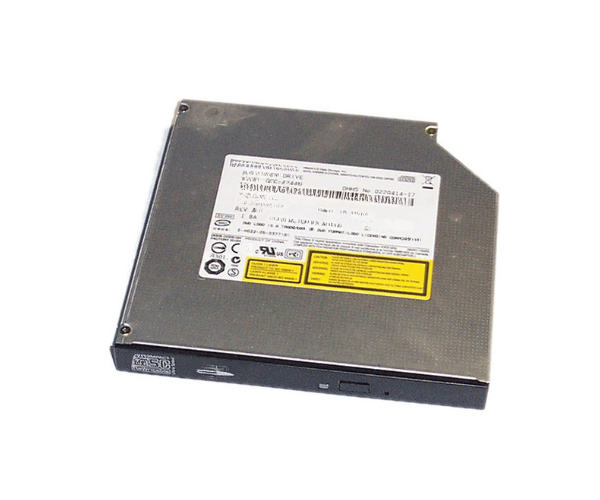
Overview of Dell PD438 PowerEdge CD-RW/DVD-ROM Drive IDE Slimline GCC-4244N
The Dell PD438 PowerEdge CD-RW/DVD-ROM Drive IDE Slimline GCC-4244N serves as a versatile optical drive that enhances the functionality of your Dell PowerEdge servers. This drive supports both CD-RW and DVD-ROM formats, making it an ideal choice for businesses needing reliable media access for data storage, software installations, and backups. With its slimline design and IDE interface, this optical drive fits seamlessly into various Dell systems, ensuring efficient performance in a compact form factor.
Why Choose the Dell PD438 PowerEdge CD-RW/DVD-ROM Drive IDE Slimline GCC-4244N?
Selecting the Dell PD438 PowerEdge CD-RW/DVD-ROM Drive Slimline GCC-4244N ensures that you have a reliable and efficient optical drive for your server needs. This drive's dual functionality allows you to read and write CDs while reading DVDs, providing flexibility in how you manage your data. Its IDE interface offers compatibility with many older systems, ensuring seamless integration. The slimline design is perfect for space-constrained environments, making it a practical choice for server setups. By choosing this drive, you invest in a high-quality product that enhances your server's capabilities.
User Experience
Users have consistently reported positive experiences with the Dell PD438 PowerEdge CD-RW/DVD-ROM Drive IDE GCC-4244N. They appreciate its fast performance and reliability. The drive's installation process is straightforward, making it accessible even for those with minimal technical skills. Many users have highlighted how it improves their workflow, especially when managing large data backups or software installations. The durability of this optical drive also stands out, with users noting its long-lasting performance even in demanding environments.
Detailed Breakdown of Features
The Dell PD438
CD-RW/DVD-ROM Drive IDE Slimline GCC-4244N offers a range of features that enhance its usability and performance. Its dual functionality allows users to write to CDs and read DVDs, making it versatile for various applications. The drive operates using the IDE interface, which provides stable connectivity and compatibility with older systems. Its slimline design ensures it fits snugly into standard drive bays, maximizing space within your server. The drive boasts impressive reading speeds of up to 24X for CDs and 8X for DVDs, ensuring quick access to data. Additionally, the robust build quality ensures that the drive withstands daily use in a busy work environment, making it a reliable choice for professionals.
Installation Steps
- Power Off the Server: Begin by turning off your server and disconnecting it from the power source.
- Open the Server Case: Remove the side panel of the server to gain access to the internal components.
- Locate the Drive Bay: Identify the slimline drive bay where the optical drive will be installed.
- Insert the Drive: Slide the Dell CD-RW/DVD-ROM Drive into the designated bay until it fits securely.
- Connect the IDE Cable: Attach the IDE cable from the drive to the motherboard, ensuring a snug fit.
- Connect the Power Cable: Plug the power cable into the optical drive.
- Secure the Drive: If necessary, use screws to secure the drive in place.
- Reassemble the Case: Replace the side panel of the server and reconnect it to the power source.
- Power On the Server: Turn the server back on and install any required drivers.
Where Can It Be Used?
The
Dell PowerEdge CD-RW/DVD-ROM Drive IDE Slimline GCC-4244N is suitable for various applications. It can be used in Dell PowerEdge servers for data storage, software installations, and media playback. This drive is ideal for businesses that require reliable access to optical media for backups and archiving. Additionally, it is useful in environments where space is limited, thanks to its slimline design.