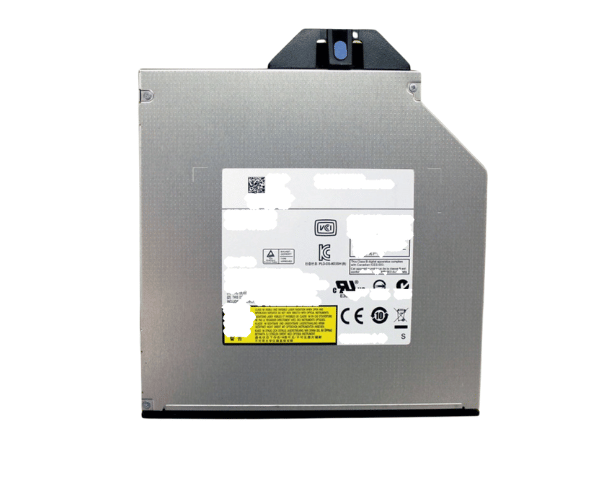
Introduction of Dell MKT6V Internal DVD-ROM SATA Optical Drive
The Dell MKT6V Internal DVD-ROM SATA Optical Drive meets the demands of both home and office users. It delivers optimal performance, allowing you to read DVDs and CDs effortlessly. Enjoy seamless media playback and quick data retrieval. With its reliable operation and compatibility with various systems, this drive enhances your computer's capabilities effectively.
Why Opt the Dell MKT6V Internal DVD-ROM SATA Optical Drive?
Opting for the Dell MKT6V DVD-ROM SATA Optical Drive means choosing a reliable solution for your optical drive needs. This product offers a perfect balance of performance and efficiency, making it suitable for various tasks, from data retrieval to media playback. Its user-friendly design and fast read speeds enhance your computing experience, allowing you to enjoy your favorite DVDs and CDs without hassle.
User Experience
Users consistently appreciate the Dell MKT6V Internal DVD-ROM Optical Drive for its efficient operation and straightforward installation process. Many find that it delivers consistent performance, allowing them to access data quickly and effectively. Whether for work or entertainment, this drive meets expectations and offers reliability in various applications.
Detailed Breakdown of Features
The Dell MKT6V Internal DVD-ROM SATA Drive comes with several noteworthy features that enhance its functionality. With its SATA interface, users can expect a quick and stable connection to the motherboard, resulting in efficient data transfers. The drive supports a read speed of up to 16x for DVDs, ensuring fast access to your favorite media. Its 5.25-inch form factor allows for easy integration into standard desktop cases, making it a versatile addition to any setup. Additionally, the drive is compatible with both Windows and Linux operating systems, providing flexibility for users across different platforms. Overall, the Dell MKT6V drive offers a dependable solution for anyone in need of optical media capabilities.
Installation Steps
- Power Off the Computer: Ensure your computer is turned off and unplugged from the power source.
- Open the Case: Remove the side panel of the computer case to access internal components.
- Locate the Drive Bay: Identify the appropriate 5.25-inch drive bay in your computer.
- Insert the Drive: Slide the Dell SATA Optical Drive into the bay until securely positioned.
- Connect Cables: Attach the SATA data and power cables to the drive and the motherboard.
- Reattach the Case Panel: Firmly secure the side panel onto the computer case.
- Reconnect the Power Source: Plug the computer into the wall outlet and switch it on.
- Check Recognition: The operating system should automatically recognize the new drive.
Where It Can Be Used?
The
Dell Internal DVD-ROM SATA
Optical Drive is perfect for various environments, including home and office settings. It is ideal for users who want to play DVDs, install software, or access data from CDs. In a professional environment, the drive can be used for software installations and backups, making it a valuable asset for any desktop setup.