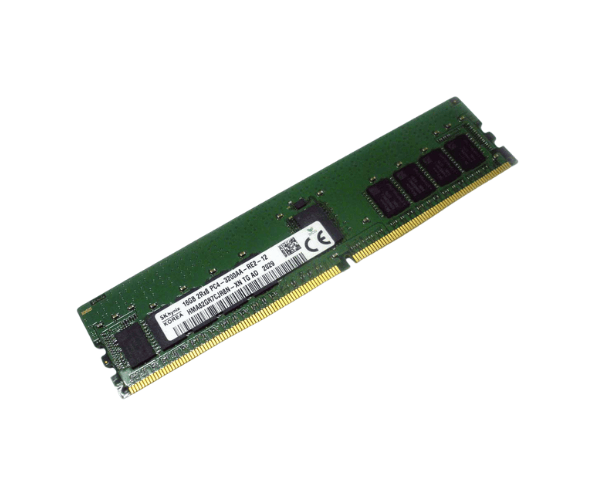
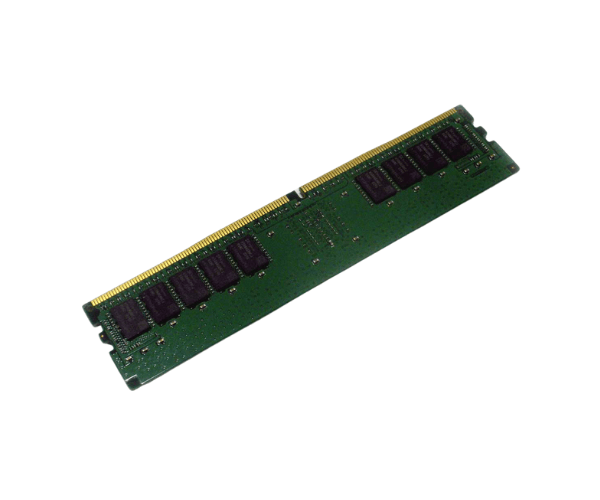
Introduction of Dell M04W6 16GB DDR4-3200 RDIMM PC4-25600R Memory
The
Dell M04W6 16GB DDR4-3200 RDIMM PC4-25600R Memory is designed to provide top-notch performance for high-demand systems. It offers speed, capacity, and reliability, making it ideal for both professional environments and power users. Whether you need to improve multitasking, increase data processing speeds, or upgrade your system's memory capacity, the Dell M04W6 ensures optimal performance. This memory module is perfect for servers, workstations, and other systems that require robust memory solutions.
Why Choose the Dell M04W6 16GB DDR4-3200 RDIMM PC4-25600R Memory?
Choosing the
Dell 16GB DDR4-3200 RDIMM PC4-25600R Memory ensures a significant boost in performance, particularly in resource-heavy environments. With its high speed of 3200 MHz and 16GB capacity, it can handle multiple applications and demanding workloads effortlessly. The ECC (Error Correcting Code) support also helps in reducing memory errors, ensuring your system remains stable, especially in critical tasks. For users looking to upgrade their servers or workstations, this memory module offers reliability and speed.
User Experience
Users who have installed the
Dell M04W6 memory module reported noticeable improvements in system speed and responsiveness. The 16GB capacity is sufficient for handling heavy multitasking, while the 3200 MHz speed accelerates data transfers and application loading times. The ECC feature adds extra confidence for those working with sensitive or critical data, ensuring data integrity. Overall, the Dell M04W6 delivers a reliable and seamless computing experience.
Detailed Breakdown of Features
- High Capacity: The 16GB memory allows for smoother multitasking and better handling of large data sets.
- Fast Speed: Operating at 3200 MHz, it enhances system performance, enabling faster data processing.
- Error Correction: ECC (Error-Correcting Code) ensures higher reliability by detecting and correcting memory errors.
- Energy Efficient: Operating at a low voltage of 1.2V, it reduces power consumption and heat generation.
- Durable Design: Built for long-lasting performance in demanding environments.
- Compatibility: Compatible with a variety of Dell servers and workstations that support DDR4 memory.
- Dual Rank: The 2Rx8 configuration provides improved stability and performance in multitasking environments.
- Easy Upgrade: Designed with a standard RDIMM form factor, it’s easy to install and upgrade.
- Consistent Performance: Ensures stable and reliable operation even under heavy workloads.
- Improved Data Integrity: The ECC support is particularly valuable in professional and server environments.
Installation Steps
- Power Down the System: Ensure your system is completely turned off and disconnected from any power source to avoid any electrical damage.
- Open the Computer Case: Use the necessary tools (screwdriver, if required) to remove the case cover and access the internal components.
- Locate Memory Slots: Identify the DDR4 slots on the motherboard. These are usually located near the CPU.
- Remove Existing Memory (if applicable): If you're replacing old memory, gently push the retaining clips on both sides to release the current module.
- Insert Dell M04W6 Memory: Align the notch on the memory module with the slot on the motherboard and firmly press the module down until the clips snap into place.
- Close the Computer Case: Reattach the cover and securely fasten it with screws or clips.
- Reconnect Power and Boot the System: Plug the system back in and power it on. Verify the BIOS or operating system settings to confirm the memory is detected.
Where It Can Be Used?
The
Dell DDR4-3200 RDIMM PC4-25600R Memory offers versatility and suits various scenarios, including:
- Servers: Ideal for enterprise servers requiring enhanced memory capacity for data-heavy applications.
- Workstations: Perfect for high-performance workstations used for design, engineering, and scientific tasks.
- Virtualization: Suitable for systems running multiple virtual machines that demand large memory capacity.
- Data Centers: Essential for environments handling massive data storage, real-time data processing, or cloud computing.