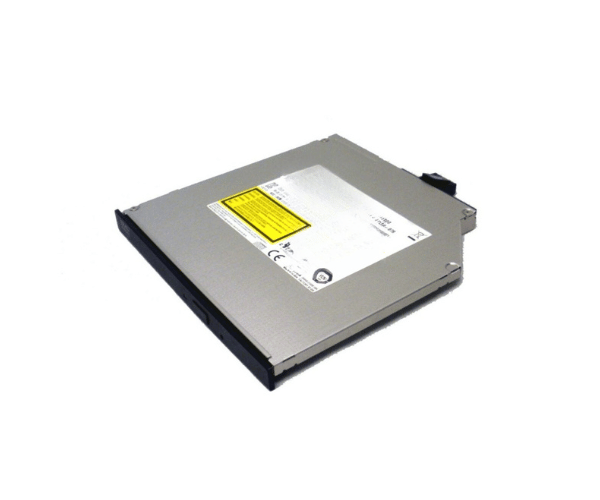
Introduction of Dell JHN48 PowerEdge SATA 8X Slimline DVD-ROM Optical Drive
The Dell JHN48 PowerEdge SATA 8X Slimline DVD-ROM Optical Drive provides reliable optical media access in a compact design. It fits perfectly into Dell PowerEdge servers. This slimline DVD-ROM drive delivers consistent performance. It integrates seamlessly with your system. Whether reading data from CDs or DVDs, the Dell JHN48 PowerEdge SATA Slimline DVD-ROM Optical Drive keeps your server running efficiently.
Why Choose the Dell JHN48 PowerEdge SATA 8X Slimline DVD-ROM Optical Drive?
The Dell JHN48 SATA 8X Slimline DVD-ROM Optical Drive is the ideal choice for enterprises looking to equip their servers with a reliable and compact optical drive. Its slimline form factor allows it to fit seamlessly into Dell servers, saving valuable space while providing essential functionality. With an 8X DVD reading speed, this drive ensures quick and reliable access to your optical media. Additionally, the SATA interface enhances data transfer rates, ensuring smooth performance without bottlenecks.
User Experience
Users of the Dell JHN48 PowerEdge SATA Slimline DVD-ROM Optical Drive often appreciate its ease of integration and consistent performance. The drive is particularly noted for its quiet operation and dependable reading speeds, making it an excellent choice for server environments where reliability is key. Its compatibility with Dell PowerEdge servers ensures that installation is straightforward, with minimal setup required.
Detailed Breakdown of Features
The Dell JHN48 PowerEdge SATA 8X DVD-ROM Optical Drive is designed to improve server performance. With 8X DVD reading speed, it provides quick access to large files and media. This keeps your server responsive even during heavy data retrieval. The slimline design allows it to fit into tight spaces without sacrificing performance. The SATA interface increases efficiency with faster data transfer rates than older interfaces. Specifically made for Dell PowerEdge servers, this drive ensures seamless compatibility and easy installation. It’s a must-have for enterprises relying on optical media.
Installation Steps
- Shut Down the Server: Turn off the server and unplug it from the power source.
- Access the Drive Bay: Open the server’s chassis to locate the slimline optical drive bay.
- Insert the Drive: Slide the Dell SATA Slimline DVD-ROM Drive into the available slimline bay and secure it with screws.
- Connect the SATA Cable: Attach the SATA data cable to the drive and connect it to the server’s motherboard.
- Attach the Power Cable: Connect the power cable from the power supply to the drive.
- Reassemble the Server: Attach the server's chassis securely and plug it back into the power source.
- System Recognition: Power on the server, and the operating system should automatically recognize the drive without needing additional drivers.
Where It Can Be Used?
The
Dell JHN48 PowerEdge 8X Slimline DVD-ROM Optical Drive is primarily designed for use in Dell PowerEdge servers. It’s ideal for situations where reliable access to optical media is necessary, such as in data centers, server rooms, and enterprise environments. This drive is perfect for tasks like software installation, system recovery, and reading large data files from DVDs. Its compact design also makes it a great fit for servers with limited space, ensuring that you don’t sacrifice functionality for form.