The
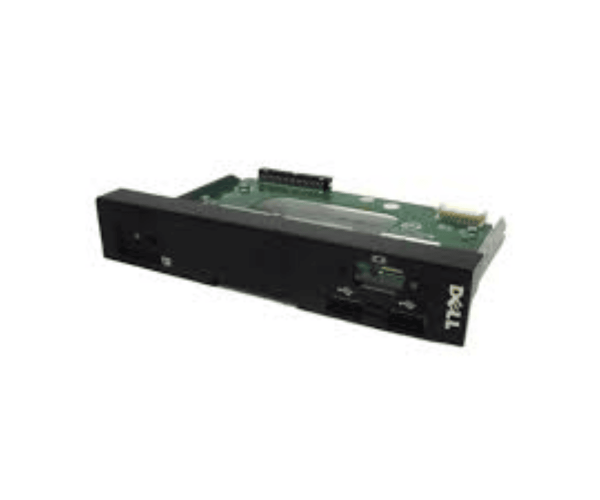
Dell H12G7 PowerEdge T620 Control LCD Panel is a vital tool for efficiently managing your PowerEdge T620 server. This intuitive panel grants easy access to crucial system information, enhancing the monitoring and management of your server operations.
Dell H12G7 PowerEdge T620 Control LCD Panel in BD
The
Dell H12G7 T620 Control LCD Panel is available in Bangladesh, making it accessible for local customers who need this important component for effective server management. Various suppliers offer this product at competitive prices, ensuring users can find it easily.
Why Choose the Dell H12G7 PowerEdge T620 Control LCD Panel?
Opting for the
Dell H12G7 PowerEdge Control LCD Panel ensures optimal performance and reliability. Here’s why it stands out:
- Enhances monitoring capabilities for better management
- Features a clear interface that improves user experience
- Simple installation and compatibility with PowerEdge T620 servers
User Experience
Customers have shared positive feedback about the
Dell PowerEdge T620 Control LCD Panel. Users find the interface easy to navigate, allowing quick access to essential system information. The high-quality display facilitates efficient management, and the panel's robust design ensures it withstands the demands of server environments.
Detailed Breakdown of Features
- User-Friendly Interface: The intuitive layout allows users to quickly find and manage system information.
- Clear Display: The high-definition screen guarantees excellent visibility, making information easy to read in different lighting environments.
- Real-Time Monitoring: Users can keep track of critical system parameters as they happen, enhancing server oversight.
- Compact Design: Integrates smoothly into the PowerEdge T620 chassis, maximizing space without sacrificing functionality.
- Integrated Controls: Direct controls enable quick adjustments without needing extra tools.
- Low Power Consumption: Operates efficiently, helping to reduce overall energy costs.
- Durable Construction: Built to endure the rigors of server usage, providing reliability and longevity.
- Versatile Usage: Suitable for data centers, small offices, and IT departments alike.
- Easy Maintenance: Simple to clean, ensuring long-term performance with minimal effort.
- Full Compatibility: Specifically designed for the Dell PowerEdge T620, ensuring complete functionality.
Installation Steps for ell H12G7 PowerEdge T620 Control LCD Panel
- Power Down the Server: Ensure the PowerEdge T620 is turned off and unplugged from the power source.
- Access the Server Chassis: Remove the server cover to gain access to internal components.
- Locate the LCD Panel Slot: Find the designated area for the LCD panel within the server.
- Insert the LCD Panel: Position the panel to match the connectors and carefully slide it into place in the designated slot.
- Secure the Panel: Make sure the panel is firmly in place to avoid any loose connections.
- Reassemble the Server: Replace the server cover and tighten all screws securely.
- Power On the Server: Reconnect the server to the power source and switch it on to check if the new LCD panel functions correctly.
- Check Functionality: Ensure the LCD panel displays information correctly and responds to inputs.
Where ell H12G7 Control LCD Panel Can Be Used?
The
Dell H12G7 Control LCD Panel is ideal for several settings, including:
- Data Centers: Essential for managing multiple servers efficiently.
- Small to Medium Businesses: Provides easy access to system information for daily operations.
- IT Departments: Perfect for monitoring server performance and making immediate adjustments.
- Remote Monitoring: Useful in scenarios where servers require management from different locations.