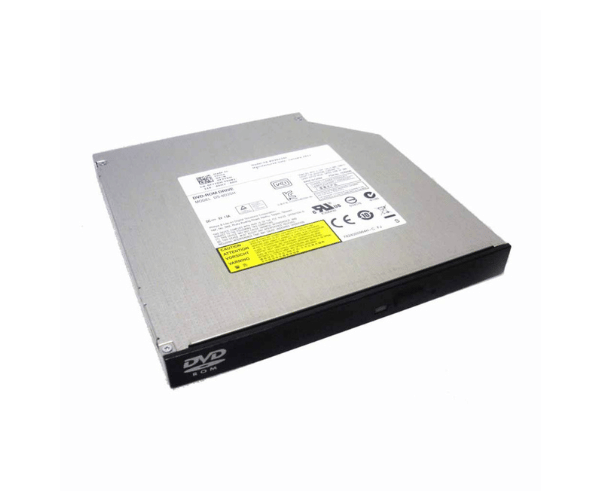
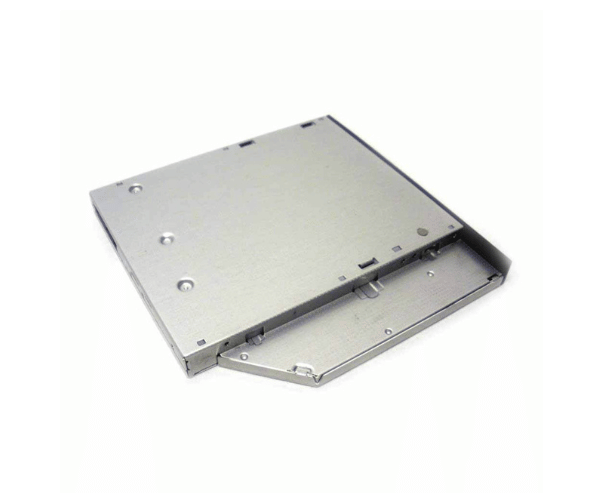
Introduction of Dell F77DM DVD-ROM Drive
The Dell F77DM DVD-ROM Drive provides excellent performance and reliability for all your computing needs. Engineered to seamlessly integrate with a range of Dell systems, this optical drive allows you to read and access data from DVDs and CDs with ease. Whether you're installing software, watching movies, or accessing important files, the Dell F77DM DVD-ROM Drive ensures a smooth and enjoyable experience.
Why Choose the Dell F77DM DVD-ROM Drive?
Choosing the Dell F77DM DVD-Read-Only Memory Drive means investing in a reliable and high-performance optical drive that seamlessly integrates with your Dell systems. It offers fast read speeds, ensuring you can access your data quickly and efficiently. With its slim design, this drive is perfect for saving space in your computer setup while providing all the essential features you need for everyday tasks.
User Experience
Users consistently report positive experiences with the Dell F77DM DVD-Read-Only Memory Drive. Its quick data access speeds and compatibility with various formats make it a preferred choice for many. Additionally, its easy installation process ensures that even users with minimal technical knowledge can set it up without hassle.
Detailed Breakdown of Features
The Dell F77DM DVD-Read-Only Memory Drive is packed with advanced features that enhance its usability. With its fast read speed of up to 16x, this drive ensures you can access your data swiftly, whether you’re loading software or watching movies. The SATA interface ensures a stable connection to your system, allowing for uninterrupted data transfer. Furthermore, its slimline design allows for easy integration into your computer setup, making it an excellent choice for those looking to maximize their space without sacrificing performance.
Installation Steps
- Turn off your computer and unplug it from the power source.
- Remove the computer case to access the internal drive bays.
- Locate the appropriate bay for the Dell DVD-ROM Drive.
- Gently insert the drive into the bay, ensuring it is properly seated.
- Attach the SATA data cable from the drive securely to the motherboard.
- Securely attach the power cable to the optical drive.
- Reassemble the computer case and reconnect the power source.
Where It Can Be Used?
The
Dell F77DM DVD-Read-Only Memory Drive is highly versatile. It's perfect for software installation, enabling fast and easy setup from DVDs or CDs. This drive is also excellent for media playback, letting you enjoy movies and videos stored on optical discs. For data backup, it provides a dependable solution, helping you archive important files onto DVDs. Additionally, the Dell F77DM Drive is perfect for game installation, making it simple to load games from physical media into your gaming setup. This ensures easy access to your favorite titles whenever you need them.