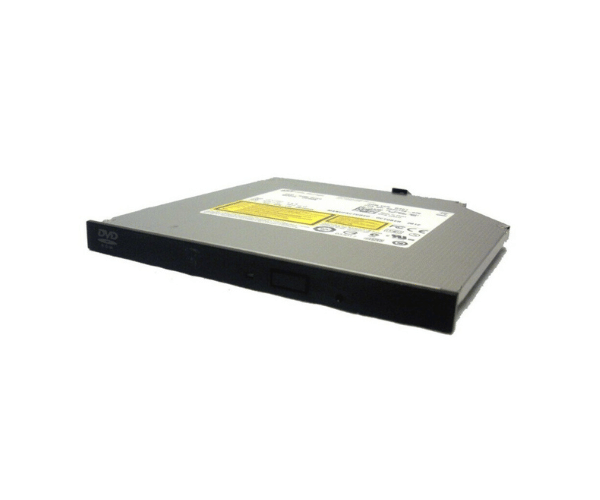
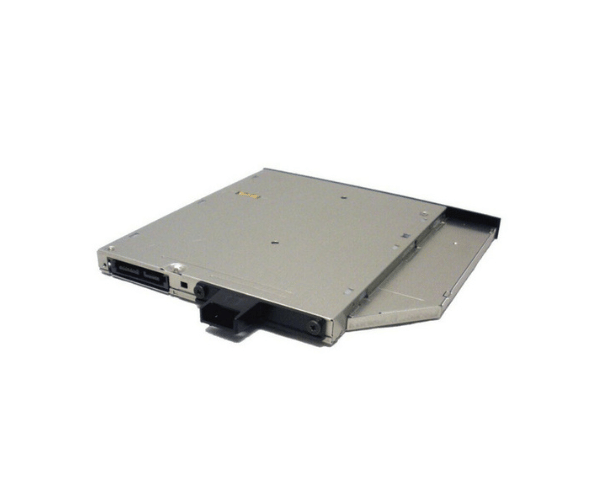
Introduction of Dell 92X1G Optical Drive SATA Slimline DVD-ROM
Upgrade your system with the Dell 92X1G Optical Drive SATA Slimline DVD-ROM. This drive provides reliable performance for reading and writing DVDs and CDs. It is designed specifically for Dell systems, ensuring seamless compatibility and efficient operation. With its slimline design, the drive fits perfectly in space-constrained environments, making it an ideal choice for various computing needs.
Why Opt for the Dell 92X1G Optical Drive SATA Slimline DVD-ROM?
The Dell 92X1G Optical Drive Serial Advanced Technology Attachment Slimline DVD-ROM stands out for its reliability and compatibility. Designed for Dell systems, it guarantees a perfect fit and seamless integration. This drive supports a wide range of media formats, allowing users to access and create various types of content effortlessly. Whether you are backing up important files or enjoying your favorite DVDs, this drive delivers consistent performance.
User Experience
Users report a positive experience with the Dell 92X1G Optical Drive. Many appreciate its fast read and write speeds, which significantly enhance productivity. The installation process is straightforward, allowing users to integrate it into their systems without any hassle. Overall, it is a practical addition for anyone needing to access or create media quickly and efficiently.
Detailed Breakdown of Features
The Dell 92X1G Optical Drive Serial Advanced Technology Attachment Slimline DVD-ROM offers a host of features that make it an essential component for any desktop or server setup. Its Serial Advanced Technology Attachment interface ensures fast data transfer rates, which is crucial for handling large files and multiple media formats. The drive supports various formats, including DVD-R, DVD+R, and CD-R, allowing you to read and write to numerous media types. Additionally, its slim design ensures it takes up minimal space, making it perfect for tight installations. The lightweight construction also enhances portability, making it easy to move between systems if necessary. Overall, this optical drive is designed to meet the diverse needs of users, providing an efficient solution for media access and storage.
Installation Steps
- Start by powering off your server and disconnecting it from the electrical outlet.
- Remove the cover of the server to access the internal drive bays.
- Locate the specific bay designated for the optical drive within the server chassis.
- Slide the Dell Optical Drive into the bay, ensuring it fits snugly.
- Plug the SATA data cable from the optical drive into the motherboard's designated connector.
- Securely attach the power cable to the optical drive to ensure it receives the necessary power supply.
- Replace the server cover and reconnect the power source.
Where It Can Be Used?
The
Dell 92X1G Optical Drive is perfect for various applications. It is suitable for desktop computers, servers, and workstations that require reliable media access. Users in home and office environments can utilize this drive for tasks such as data backups, software installations, and media playback. Its versatility makes it an ideal choice for anyone looking to enhance their computing experience.