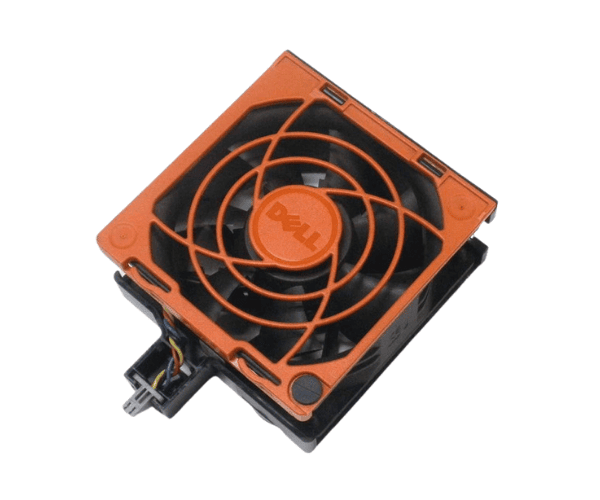
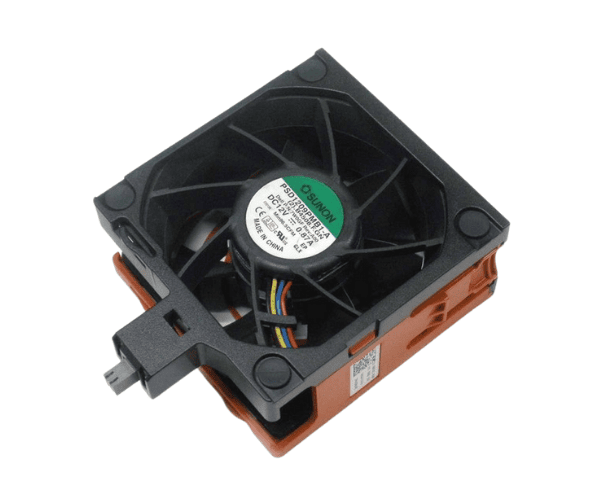
Introduction of Dell 8WXRC Fan 12v 92x92 for PowerEdge T620
The
Dell 8WXRC Fan 12v 92x92 for PowerEdge T620 is a high-performance cooling solution designed specifically for the PowerEdge T620 server. This fan plays a vital role in maintaining optimal operating temperatures, ensuring that your server performs efficiently and reliably. Proper cooling is essential in data centers and server rooms to prevent overheating and system failures. The Dell 8WXRC fan helps you achieve that, offering a perfect blend of performance, durability, and quiet operation.
Why Choose Dell 8WXRC Fan 12v 92x92 for PowerEdge T620?
Choosing the
Dell Fan 12V 92x92 for your PowerEdge T620 ensures you get a reliable and efficient cooling solution. This fan is specifically designed for the PowerEdge T620, ensuring perfect compatibility and performance. Its low noise operation makes it suitable for environments where sound levels matter, such as offices and shared spaces. The high airflow capability allows for effective cooling, reducing the risk of overheating and system failures.
User Experience
Users appreciate the
Dell 8WXRC Fan 12V 92x92 for its reliability and quiet operation. Many report a noticeable improvement in cooling performance and a reduction in overall noise levels in their server rooms. The fan's easy installation process further enhances the user experience, allowing IT professionals to replace or install it without hassle.
Detailed Breakdown of Features
- High Airflow: The Dell 8WXRC Fan is designed to provide high airflow, ensuring efficient cooling for your PowerEdge T620. This helps maintain optimal temperatures, especially during heavy workloads.
- Low Noise Operation: This fan operates quietly, making it ideal for environments where sound levels are critical. Users can benefit from effective cooling without excessive noise.
- Durable Design: Built with high-quality materials, the Dell 8WXRC fan is designed to last. Its sturdy construction ensures reliable performance over time, even in demanding conditions.
- Easy Installation: Installing the Dell 8WXRC Fan is straightforward. The user-friendly design allows for quick replacement, minimizing downtime during maintenance.
- Compatibility: This fan is designed exclusively for the PowerEdge T620, guaranteeing effortless integration and peak performance.
Installation Steps
- Power Down the Server: Always ensure the server is powered off and unplugged from the electrical outlet to avoid any electrical hazards.
- Open the Server Chassis: Carefully open the server chassis by following the manufacturer’s instructions. Use the appropriate tools if necessary.
- Locate the Existing Fan: Identify the current fan you wish to replace or where you will install the new Dell 8WXRC Fan.
- Disconnect the Old Fan: Unplug the connector from the motherboard to disconnect the old fan. If replacing, remove the old fan from its mounting.
- Install the Dell 8WXRC Fan: Position the new fan in the mounting area. Ensure it fits securely and connects properly to the server's power supply.
- Reconnect the Power: Plug the fan's connector into the motherboard to restore power.
- Close the Server Chassis: Once the fan is installed, close the server chassis carefully and secure it.
- Power On the Server: Finally, power on the server and monitor for any unusual noises or performance issues.
Where It Can Be Used?
The
Dell 8WXRC Fan 12V 92x92 is ideal for various applications, including:
- Data Centers: Ensuring that servers remain cool during intense workloads.
- Corporate Server Rooms: Providing effective cooling while minimizing noise disruption.
- Home Offices: Maintaining optimal performance in quieter environments.
- IT Infrastructure: Supporting consistent operation across server setups.