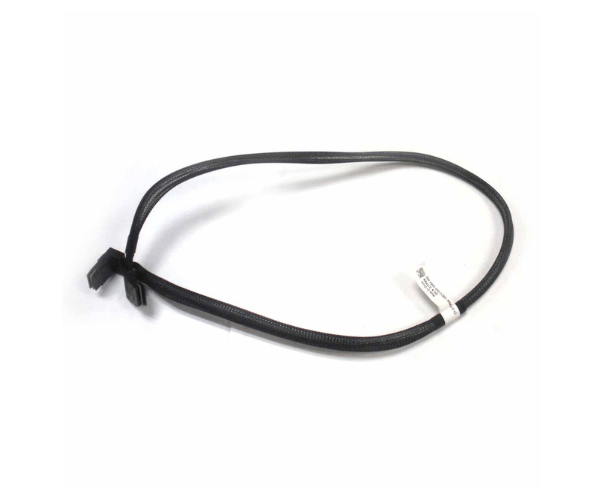
Introduction of Dell 7TPNW SAS-B MINI SAS to MINI SAS Cable 8-port
The Dell 7TPNW SAS-B Mini SAS to Mini SAS Cable 8-Port enhances connectivity in Dell servers. This critical component ensures reliable data transfer between SAS controllers and storage devices. It is essential for maintaining high performance and efficiency in server operations. This high-performance cable facilitates seamless communication between your server's SAS controllers and storage devices. By offering reliable and efficient data transfer, the Dell 7TPNW ensures that your server operates at peak performance.
Why Choose Dell 7TPNW SAS-B MINI SAS to MINI SAS Cable 8-port?
The Dell 7TPNW Serial Attached SCSI-B Mini Serial Attached SCSI to Mini Serial Attached SCSI Cable 8-Port is a superior choice for connecting Serial Attached SCSI controllers to storage systems. Its robust design ensures high-speed data transfer and reliable connectivity. Opt for the Dell 7TPNW to enhance your server's performance and maintain smooth operations.
User Experience
Users of the Dell 7TPNW cable frequently praise its reliability and ease of use. The cable's solid construction minimizes connection issues, making it a preferred choice among IT professionals. With this cable, users can expect consistent performance and reduced downtime.
Detailed Breakdown of Features
The Dell 7TPNW Serial Attached SCSI-B Mini Serial Attached SCSI to Mini Serial Attached SCSI Cable 8-Port features a high-quality construction that supports stable and high-speed data transfers. The cable’s eight-port design ensures efficient connectivity between multiple storage devices and SAS controllers. The mini SAS connectors ensure secure and reliable connections, reducing the likelihood of data transfer issues. The robust build quality of the Dell 7TPNW contributes to its durability and longevity, making it a dependable choice for high-performance server environments.
Installation Steps
- Power Down the Server: Power off the server completely before starting the installation.
- Locate SAS Controllers and Storage Devices: Identify the SAS controllers and storage devices in your server.
- Connect the Cable: Plug one end of the Dell 7TPNW cable into the mini SAS port on the SAS controller and the other end into the mini SAS port on the storage device.
- Secure the Connection: Ensure that both ends of the cable are securely connected and properly seated.
- Power On the Server: Turn on the server and check that the storage devices are recognized and functioning correctly.
Where It Can Be Used?
The
Dell 7TPNW Serial Attached SCSI-B Mini Serial Attached SCSI to Mini Serial Attached SCSI Cable 8-Port is ideal for use in Dell server environments where multiple storage devices need to connect to Serial Attached SCSI controllers. You commonly use it in data centers, server rooms, and high-performance computing setups to ensure efficient and reliable data transfer.