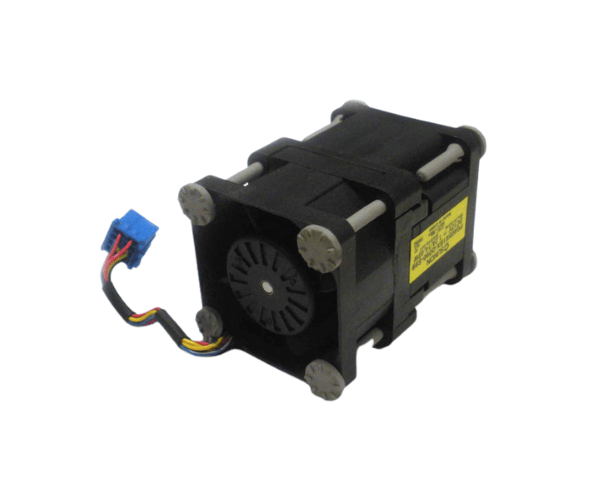
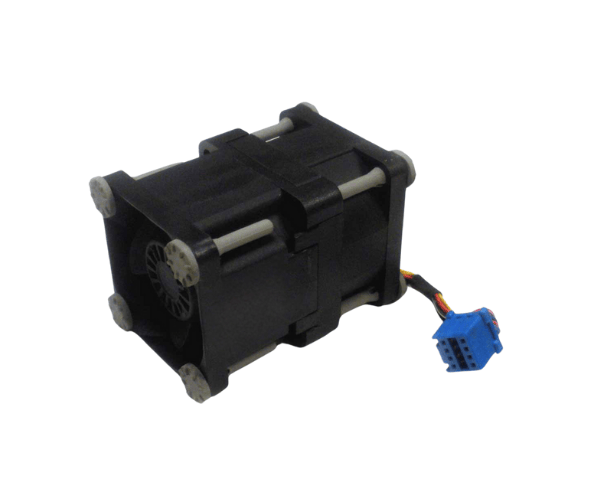
Introduction of Dell 79WM9 Cooling Fan for PowerEdge R430
The
Dell 79WM9 Cooling Fan for PowerEdge R430 is an essential component for maintaining optimal temperature in your server environment. Designed specifically for the Dell PowerEdge R430 server, this cooling fan ensures reliable performance by preventing overheating during intensive workloads. With its efficient design and powerful airflow, the Dell 79WM9 Cooling Fan helps safeguard your server hardware, promoting longevity and stability in your operations.
Why Choose Dell 79WM9 Cooling Fan for PowerEdge R430?
Choosing the
Dell Cooling Fan for PowerEdge R430 ensures that your server operates at its best. Here are several compelling reasons to choose this product:
- Optimized Performance: The fan delivers strong airflow, keeping critical components cool under load.
- Designed for Compatibility: It fits seamlessly into the PowerEdge R430, making installation hassle-free.
- Low Noise Levels: With a noise level of only 25 dBA, it is perfect for environments where silence is crucial.
- Durable Construction: Made with high-quality materials, the fan is built to withstand demanding conditions.
User Experience
Users of the
Dell 79WM9 Cooling Fan consistently report high satisfaction levels. Many appreciate the fan's effective cooling capabilities, which help maintain stable server performance. The low noise operation is another highlight, especially in office environments where sound levels matter. Additionally, customers find the installation process straightforward, often completing it in a matter of minutes. The reliability of the fan translates to fewer concerns about server overheating, leading to a more efficient workflow.
Detailed Breakdown of Features
The
Dell 79WM9 Cooling Fan boasts several impressive features:
- High Fan Speed: Operates at a maximum speed of 7500 RPM, delivering powerful airflow to dissipate heat effectively.
- Robust Airflow: Produces 80 CFM of airflow, ensuring that all critical components remain at optimal temperatures.
- Quiet Operation: Maintains a low noise level of 25 dBA, suitable for noise-sensitive environments.
- Easy Installation: The design ensures compatibility with the PowerEdge R430, making installation quick and easy.
- Durable Build: Constructed from high-quality materials that resist wear and tear, extending the fan's lifespan.
- Power Efficiency: Operates on a standard 12V DC power supply, making it energy-efficient while providing excellent performance.
Installation Steps
- Power Down the Server: Make sure to shut down the server completely and disconnect it from the power source to ensure safety.
- Remove the Server Cover: Carefully take off the server's access panel to expose internal components.
- Locate the Fan Slot: Identify the fan module area within the server chassis designated for the Dell Cooling Fan.
- Remove the Old Fan: If there is an existing fan, detach it by loosening screws or clips and pulling it out gently.
- Install the New Fan: Align the Dell Cooling Fan in the correct orientation and secure it using the provided screws or clips.
- Connect the Power Cable: Plug the fan's 4-pin PWM connector into the appropriate socket on the motherboard.
- Reattach the Server Cover: Place the access panel back on the server, ensuring it is securely fastened.
- Power On the Server: Reconnect the power source and turn on the server to check that the new fan operates correctly.
Where It Can Be Used?
The
Dell Cooling Fan for PowerEdge R430 is suitable for various environments, including:
- Data Centers: Maintains optimal temperatures in high-density server racks.
- Corporate IT Rooms: Ideal for corporate environments where server reliability is crucial.
- Small to Large Businesses: Perfect for businesses of all sizes that rely on Dell PowerEdge R430 servers.
- Quiet Offices: Quiet offices enjoy its low noise operation, making it an excellent choice for environments where sound levels remain monitored.