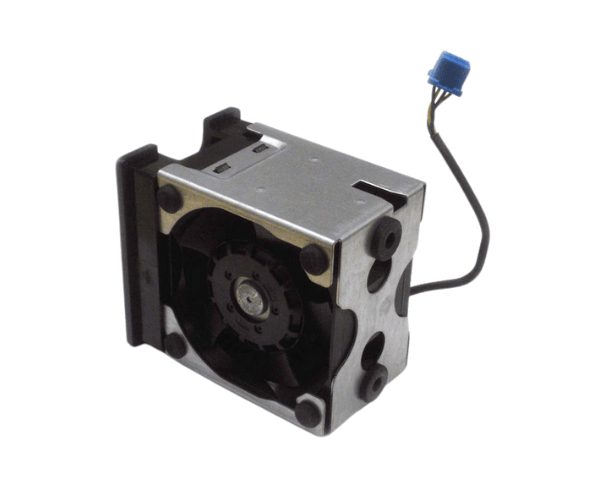
Introduction of Dell 5FX8X System Fan
The
Dell 5FX8X System Fan for PowerEdge R520 is a critical component designed to maintain optimal airflow and cooling within your server. This fan plays a vital role in preventing overheating and ensuring that your server operates efficiently, especially during demanding tasks. With its reliable performance and easy installation, the Dell 5FX8X system fan helps extend the life of your hardware while enhancing overall performance.
Why Choose the Dell 5FX8X System Fan?
Choosing the
Dell System Fan for PowerEdge R520 means selecting a product engineered specifically for your server. Its compatibility ensures seamless integration, while its efficient cooling capabilities enhance performance. By investing in this fan, you protect your server from overheating, ensuring stable operations and preventing potential hardware damage.
User Experience
Users of the
Dell System Fan consistently report satisfaction with its performance and reliability. The fan operates quietly, delivering effective cooling without adding excessive noise to the environment. Many users appreciate its easy installation process, allowing them to replace old fans quickly without the need for professional assistance. Overall, customers find that this fan significantly contributes to their server's performance and longevity.
Detailed Breakdown of Features
- Efficient Cooling: Provides effective airflow to maintain optimal operating temperatures and prevent overheating.
- Quiet Operation: Operates at a low noise level, ensuring a peaceful working environment.
- Durable Design: Constructed from high-quality materials for reliable and long-lasting performance.
- Easy Installation: Simple plug-and-play design allows for quick replacement with minimal effort.
- Compatible Fit: Specifically designed to fit the PowerEdge R520, ensuring maximum efficiency.
- Low Power Consumption: Optimizes energy use while providing sufficient cooling, contributing to lower energy bills.
- Robust Performance: Delivers a high airflow rate of 120 CFM to efficiently dissipate heat.
- Versatile Use: Suitable for various applications, including data centers, corporate IT environments, and more.
Installation Steps
- Power Down the Server: Shut down your PowerEdge R520 and unplug it from the power source.
- Open the Server Chassis: Remove the cover of the server to access the internal components.
- Locate the Fan Slot: Identify the designated slot for the system fan within the server.
- Insert the Dell System Fan: Insert the Dell System Fan by aligning it with the designated slot and carefully pushing it into position.
- Connect the Power Cable: Attach the 4-pin power connector to the motherboard.
- Secure the Fan: Ensure the fan is firmly seated and properly connected.
- Close the Chassis: Replace the server cover securely.
- Power On the Server: Plug the server back in and turn it on to test the new fan.
Where It Can Be Used?
The
Dell System Fan is ideal for various environments where efficient cooling is essential. It is primarily used in:
- Data Centers: To maintain optimal temperatures for high-performance servers.
- Corporate IT Departments: Ensuring reliable operations of critical business applications.
- Home Office Servers: Providing sufficient cooling for personal servers used for development or media storage.