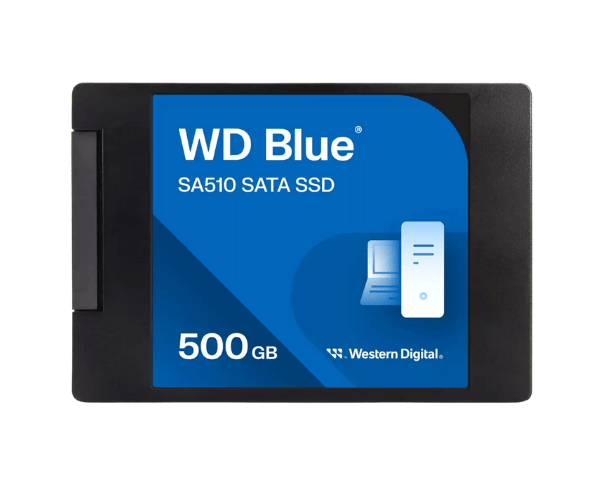
About The Western Digital WDS500G3B0A-00AXR0 500GB SA510 SATA SSD
The Western Digital WDS500G3B0A-00AXR0 500GB SA510 SATA SSD offers fast and reliable storage for everyday computing needs. It speeds up system response times with faster boot ups, fast file loading, and lower power consumption. Built with 3D NAND technology, it is perfect for anyone who needs speed and storage in a balance.
Western Digital WDS500G3B0A-00AXR0 500GB SA510 SATA SSD in BD
The Western WDS500G3B0A-00AXR0 500GB SA510 SATA SSD is already available throughout Bangladesh through local tech stores and online shopping websites. Western Digital 500GB SA510 SATA SSD is an affordable option for customers who want to upgrade their systems with faster performance, greater reliability, and more space for apps, files, and OS.
User Experience of Western Digital WDS500G3B0A-00AXR0 SA510 SATA SSD
The Western WDS500G3B0A-00AXR0 500GB SA510 SATA SSD users notice much improved system performance. It starts by leaps and bounds quicker and makes everyday tasks like opening files or applications easier and quicker. The drive is quiet, uses less power, and is cool—ideal for quiet, power-consumption systems.
Why Choose Western Digital WDS500G3B0A-00AXR0 500GB SATA SSD?
Going for the Western Digital WDS500G3B0A-00AXR0 500GB SA510 SSD is putting one's faith in a tried and tested brand and technology. It provides great speed and endurance for new computers and system upgrades. With Western Digital's tried and tested history in storage technology, the SSD is value and quality performance for money for anyone.
Key Features
-
High-capacity 500GB of fast storage.
-
Up to 560MB/s read and up to 510MB/s write.
-
Built with 3D NAND for improved endurance and performance.
-
2.5-inch form factor for compatibility with most desktop and server systems.
-
Shock-resistant and reliable even in harsh environments.
-
Low power consumption to extend laptop battery life.
-
Optimized for everyday use and multitasking workloads.
How to Maintain of Western Digital WDS500G3B0A-00AXR0 SA510 SATA SSD?
For the best performance of your Western Digital WDS500G3B0A-00AXR0 SA510 SATA SSD:
- Provide a quality power supply or UPS to prevent data loss.
- Update the SSD firmware through WD SSD Dashboard.
- Ensure the system is dust-free and has good airflow.
- Monitor drive health periodically with software utilities.
- Maintain some free space on the drive for the best performance.
Installation Steps
- Shut down your system and unplug it.
- Open the system case and locate the 2.5-inch SATA bay.
- Mount the Western Digital 500GB SA510 SATA SSD securely.
- Connect SATA power and data cables.
- Close the case and start the system.
- Enter BIOS to check drive detection.
- Format the SSD and install your operating system or copy your files.
Where It Can Be Used?
- Server systems that require reliable SSDs.
- Desktops that require a performance upgrade.
- Laptops with 2.5-inch SATA bays.
- Office PCs for multitasking.
- Educational and home office environments.
- Upgrading old hard drives in existing older systems.