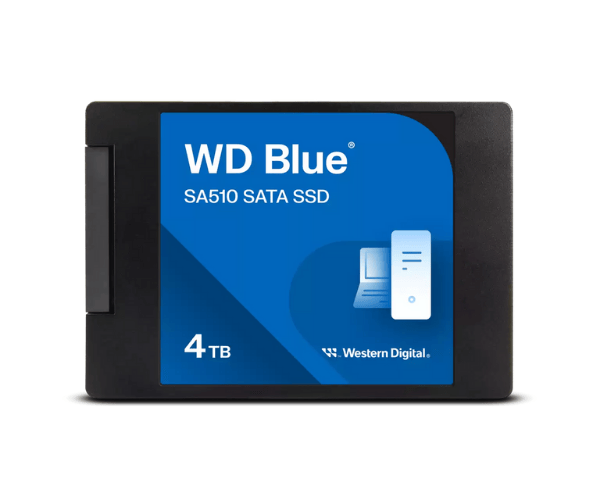
About Western Digital WDS400T3B0A-00C7K0 3TB SA510 SATA SSD
The Western Digital WDS400T3B0A-00C7K0 3TB SA510 SATA SSD is engineered to provide large, high-performance, and reliable storage for everyday uses and server-level workloads. With best-in-class 3D NAND and SATA III interface, it delivers sequential high-speed data transfer, low power consumption, and high endurance for heavy user and professional workloads.
Western Digital WDS400T3B0A-00C7K0 3TB SA510 SATA SSD in BD
The Western WDS400T3B0A-00C7K0 3TB SA510 SATA SSD is commonly available in Bangladesh at renowned electronics shops and online shopping portals. It is a high-performance drive that is specifically created for those users who need storage as well as performance, especially for commercial systems, servers, and media professionals. Its cost reflects its quality and reliability.
User Experience of Western Digital WDS400T3B0A-00C7K0 SA510 SATA SSD
The Western Digital 3TB SA510 SATA SSD consumers have enjoyed astonishing system performance, faster booting speed, and better multitasking. The massive 3TB storage space is ideal to be employed to store huge files, programs, and backups at lightning speed. It is also silent, quiet, and power-saving.
Why Choose Western Digital WDS400T3B0A-00C7K0 SA510 SATA SSD?
The Western Digital WDS400T3B0A-00C7K0 3TB SA510 SSD is made for users who demand high-speed access and large storage in one device. Whether you’re managing servers, editing high-resolution videos, or working on data-heavy projects, this SSD delivers the perfect combination of capacity, performance, and brand trust.
Key Features
- Large 3TB capacity for all your files and applications.
- Fast read speeds up to 560MB/s.
- Reliable write speeds up to 520MB/s.
- 3D NAND technology for increased ruggedness.
- Energy efficiency and low power consumption.
- Shock-resistant design for safe storage of data.
- Thin 2.5-inch size for easy installation into any system.
How to Maintain Western Digital WDS400T3B0A-00C7K0 3TB SATA SSD
To keep your Western Digital WDS400T3B0A-00C7K0 SA510 SATA SSD:
- Update firmware regularly with WD Dashboard.
- Do not use all the space that is available; have at least 10% empty.
- Use an uninterrupted power source or UPS so it can shut down cleanly when necessary.
- Keep your server or PC tidy and ventilated.
- Monitor SSD health monthly with trusted software.
Installation Procedures
- Power off your server or machine and unplug cables.
- Take away the case and find a free 2.5-inch SATA bay.
- Install the Western Digital 3TB SA510 SATA SSD securely.
- Connect SATA and data power cables securely.
- Recover the case and boot up the device.
- Enter BIOS/UEFI and verify SSD detection.
- Format the SSD or install your OS.
Where Can It Be Used?
- Business or enterprise servers.
- Business desktops.
- Photo, video, and audio editing workstations.
- Data backup and archiving configurations.
- Cloud storage servers.
- High-speed and high-storage office desktops.
- Schools and research institutions.