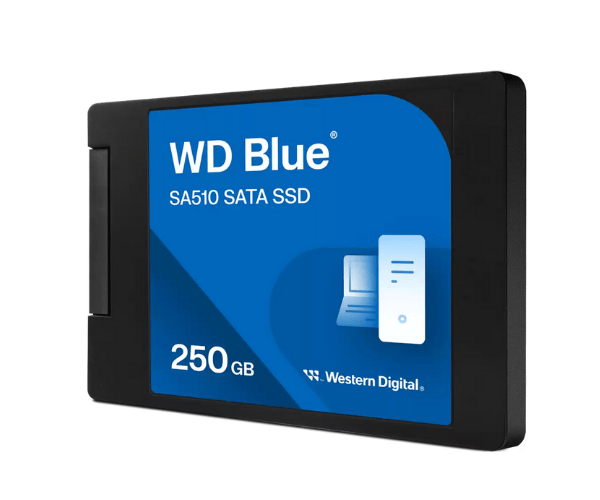
About The Western Digital WDS250G3B0A-00AXR0 250GB SA510 SATA SSD
The Western Digital WDS250G3B0A-00AXR0 250GB SA510 SATA SSD is a quick and reliable solid-state drive to breathe new life into your system's performance. It provides quick booting, file access speed boost, and low power consumption, making it suitable for commercial and domestic purposes, especially for older systems with SATA support.
Western Digital WDS250G3B0A-00AXR0 250GB SA510 SATA SSD in BD
The Western Digital 250GB SA510 SATA SSD is available at a low price in Bangladesh at big retail shops and online websites. Since it is cost-effective and performance-driven, it is an excellent option for desktop and laptop upgrades that need improvement in their functionality. Ideal for office users, students, and general use.
User Experience of Western Digital WDS250G3B0A-00AXR0 SA510 SATA SSD
The Western Digital WDS250G3B0A-00AXR0 SA510 SATA SSD users experience a radical difference in system performance. System boot times are cut down, applications load in a flash, and multitasking is effortless, daily computing simplified. It is also quiet in operation and keeps cool, a welcome difference from mechanical hard disks.
Why Choose Western Digital WDS250G3B0A-00AXR0 250GB SATA SSD
The Western Digital WDS250G3B0A-00AXR0 SA510 SATA SSD is an ideal solution for someone who would want to upgrade performance without replacing the entire system. It is supported by most SATA desktops and laptops. It comes with the Western Digital brand name, so it delivers reliable performance, nice build quality, and low power consumption—all packed in a small 2.5-inch package.
Key Features
- 250GB of fast and efficient storage
- SATA III interface with effortless compatibility
- Up to 555MB/s read speeds for fast boot and load times
- 3D NAND technology for high endurance
- Mini 2.5-inch form factor for upgrading most laptops/desktops
- Low power consumption for longer laptop battery life
- Shock resistance and quiet operation
How to Care for Western Digital WDS250G3B0A-00AXR0 SA510 SATA SSD
Caring for the Western Digital WDS250G3B0A-00AXR0 250GB SATA SSD is not complicated:
- Supply stable power or UPS to prevent sudden shutdown
- Firmware update using Western Digital software
- Clean the system periodically to prevent dust accumulation
- Monitor drive health using the available SSD utilities
- Keep free space in the SSD for speed maintenance
Installation Process
- Shut down the computer and unplug the power cord
- Open the casing and locate the SATA port and drive bay
- Install Western Digital 250GB SA510 SATA SSD in the 2.5" drive bay
- Connect SATA data and power cables to the motherboard
- Close the case and boot up the system
- Boot into BIOS to verify detection of the drive
- Format the SSD and install your OS or transfer your data
Where It Can Be Used?
- Desktop PC 2.5-inch SATA bays
- Laptops that need an upgrade for SATA
- Office PCs to enhance productivity
- School PCs for students
- Home systems to upgrade from conventional HDDs
- Media players and compact systems with SATA support