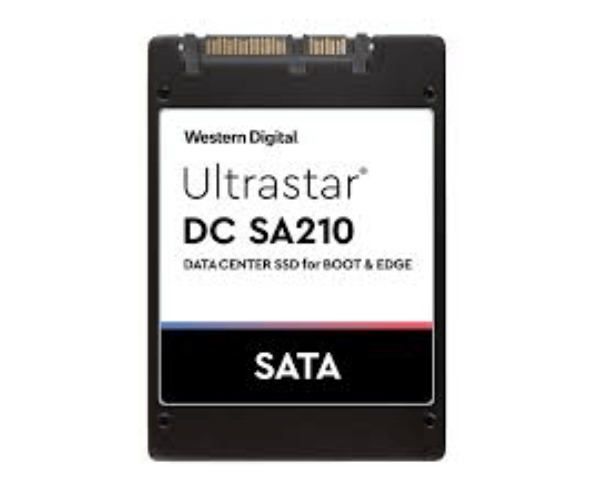
About WD HBS3A1996A7E6B1 960GB Ultrastar DC SA210 Server SSD
The WD HBS3A1996A7E6B1 960GB Ultrastar DC SA210 Server SSD is built for enterprise environments needing fast, stable, and efficient data access. Designed with SATA 6Gb/s interface and 3D TLC NAND, it delivers reliable performance for read-intensive workloads while keeping power use low—ideal for scalable data centers and virtual environments.
WD HBS3A1996A7E6B1 960GB Ultrastar DC SA210 Server SSD in BD
In Bangladesh, the WD HBS3A1996A7E6B1 Ultrastar DC SA210 Server SSD is available at leading IT retailers and e-commerce stores. It is a trusted choice for businesses seeking an affordable, reliable SATA SSD for enterprise servers, web hosting, and cloud-based solutions.
User Experience of WD HBS3A1996A7E6B1 960GB Ultrastar DC SA210 Server SSD
Users of the WD HBS3A1996A7E6B1 960GB DC SA210 Server SSD highlight its consistency in handling read-heavy applications. It offers quick data access, steady speeds, and dependable performance with minimal maintenance—making it a popular solution for IT infrastructure where uptime and data stability are crucial.
Why Choose WD HBS3A1996A7E6B1 960GB Ultrastar DC SA210 Server SSD?
The WD 960GB Ultrastar DC SA210 Server SSD stands out for its enterprise-grade quality, power efficiency, and excellent read speeds. It’s specifically built for applications that don’t require frequent writes, offering superior value in content delivery networks, virtualization, and data archiving.
Key Features
- High-speed SATA 6Gb/s interface.
- 960GB capacity ideal for boot or cache drives.
- Read speeds up to 525MB/s.
- Reliable 3D TLC NAND technology.
- Endurance of 0.34 DWPD.
- Enterprise-class power loss protection.
- Excellent energy efficiency.
- Designed for 24/7 data center use.
How to Maintain WD HBS3A1996A7E6B1 960GB Ultrastar DC Server SSD?
- Use WD’s firmware and monitoring tools.
- Keep server environments clean and cool.
- Monitor drive health via SMART status.
- Install in UPS-supported systems.
- Regularly back up critical data.
Installation Steps
- Power off the server or system.
- Open the drive bay and insert the SSD.
- Connect SATA data and power cables securely.
- Close the system and power it on.
- Format the SSD and configure as needed.
- Monitor with management software if available.
Where It Can Be Used?
The Western Digital HBS3A1996A7E6B1 Ultrastar DC SA210 Server SSD is suitable for:
- Server boot drives.
- Web and email hosting.
- Video on demand platforms.
- Read-heavy virtual environments.
- Cloud infrastructure and storage caching.
- File servers and data archiving systems.