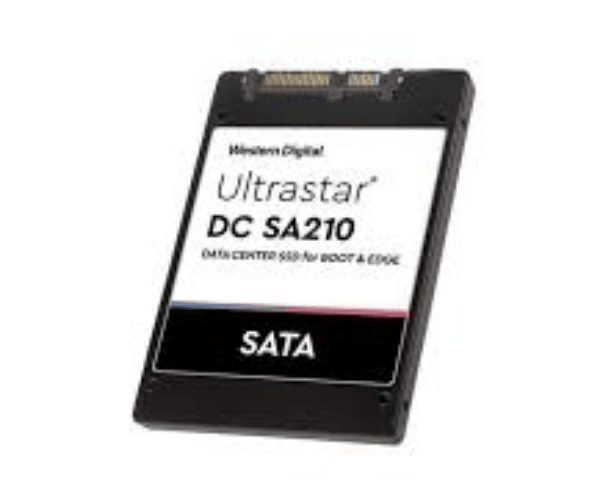
About The WD HBS3A1948A4M4B1 480GB Ultrastar DC SA210 Server SSD
The WD HBS3A1948A4M4B1 480GB Ultrastar DC SA210 Server SSD is an enterprise-level high-performance solid-state drive specifically designed to process server workload aggressively. It has been seen to provide high read/write speed, low latency, and superior reliability, thus making it perfectly suited for the data center as well as mission-critical workloads.
WD HBS3A1948A4M4B1 480GB Ultrastar DC SA210 Server SSD in BD
The WD HBS3A1948A4M4B1 480GB Ultrastar DC Server SSD is available for purchase right now in Bangladesh through official Western Digital distributors and IT product retailers. It offers enterprise performance at a reasonable price, delivering great value to IT administrators, cloud data centers, and organizations that need secure and fast storage.
User Experience of WD HBS3A1948A4M4B1 480GB Ultrastar DC SA210 Server SSD
Readers praise excellent performance with this SSD in read-heavy and mixed-workload situations. With power loss protection and endurance, the WD HBS3A1948A4M4B1 Ultrastar DC SA210 Server SSD delivers silky, smooth, and consistent output. The SSD minimizes system lag, supports 24/7 operation, and significantly improves server response time.
Why Choose WD HBS3A1948A4M4B1 480GB Ultrastar DC SA210 Server SSD?
Choosing the WD 480GB Ultrastar DC SA210 Server SSD brings enterprise-level performance and reliability. It's engineered for data center performance with bulletproof durability and power efficiency. Whether upgrading from old drives or beginning with a new server, this SSD gives fast access and reliable uptime.
Key Features
- 480GB High-Capacity Storage for heavy-demand server usage.
- SATA 6Gb/s interface to enhance data transfer.
- Up to 545 MB/s read and 520 MB/s write speed.
- Power Loss Protection and 256-bit AES Encryption.
- Minimum MTBF and maximum latency for 24/7 operation.
- Ideal for enterprise-class workloads.
How to Maintain WD HBS3A1948A4M4B1 480GB Ultrastar SA210 Server SSD?
- Update firmware with WD software tools.
- Ensure sufficient airflow inside the server chassis.
- Prevent vibrations or physical shock.
- Monitor performance with SSD management software.
- Offer stable power supply with surge protection.
Installation Steps
- Power down your server and unplug it.
- Open the server chassis and locate the SATA ports.
- Install the Western Digital HBS3A1948A4M4B1 DC SA210 Server SSD into a free 2.5-inch bay.
- Connect the SATA power and data cables.
- Shut the case and power on the system.
- Format the SSD and assign it through the OS disk manager.
- Install or move your data accordingly.
Where Can It Be Used?
- Enterprise Servers.
- Cloud Data Centers.
- Virtualization Environments.
- Content Delivery Networks.
- Web Servers and Application Hosting.
- Database Storage Systems.
- Government and Healthcare IT Infrastructure.