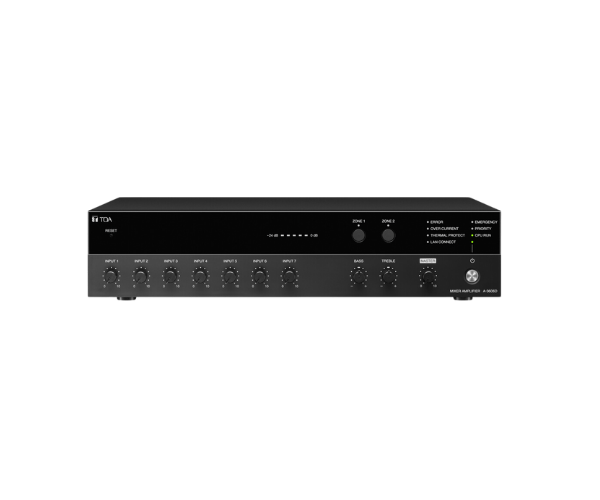
About of Toa A-3624D Digital Mixer Amplifier
The
Toa A-3624D Digital Mixer Amplifier offers high-quality audio amplification with versatile input options. Designed for various environments, it features built-in DSP, multiple channels, and user-friendly controls. Ideal for both small and large setups, it ensures clear, reliable sound for all applications.
A-3624D Digital Mixer Amplifier in BD
The
Toa A-3624D Digital Mixer Amplifier combines powerful audio performance with advanced digital technology. Featuring a built-in DSP (Digital Signal Processor), it provides optimal sound control and quality. With versatile input options and intuitive user controls, it is perfect for a wide range of applications, including PA systems, conferences, and performances.
User Experience
The
Toa A3624D Digital Mixer Amplifier is known for its high-quality sound and ease of use. Users can effortlessly adjust settings, such as volume, tone, and input channels, to match the needs of the venue. The built-in DSP enhances audio performance, ensuring clear and dynamic sound in both small and large setups. It’s appreciated for its reliability in consistent performance during events, conferences, and public address applications. The amplifier’s versatility makes it a top choice for professional sound systems.
Why Choose the Toa A-3624D Digital Mixer Amplifier?
- High Output Power: With 240W RMS, the Toa A-3624D Mixer Amplifier provides clear and powerful audio for large spaces.
- Built-in DSP: The advanced Digital Signal Processor ensures optimized sound quality and control.
- Multiple Input Channels: Six Mic/Line inputs and two AUX inputs allow for versatile audio source connectivity.
- User-Friendly Design: The digital display and rotary knob control make it easy to adjust settings and monitor performance.
- Reliable and Durable: Designed for continuous use, it delivers exceptional audio performance for events, conferences, and public address systems.
Installation Steps
- Choose an appropriate location for the Toa A-3624D Amplifier installation, ensuring proper ventilation.
- Mount the amplifier on a stable surface or rack.
- Connect the audio input sources (microphones, AUX devices) to the respective inputs on the amplifier.
- Connect the speaker outputs to the appropriate terminals.
- Plug in the power supply (AC 220-240V).
- Power on the amplifier and adjust the input levels, tone, and volume as needed.
- Test the sound output to ensure optimal performance.