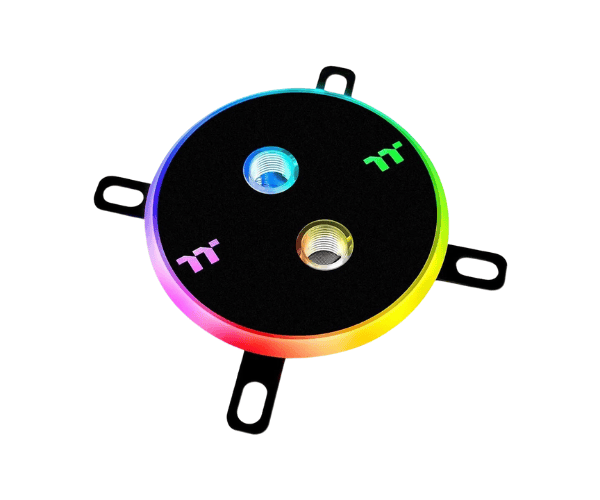
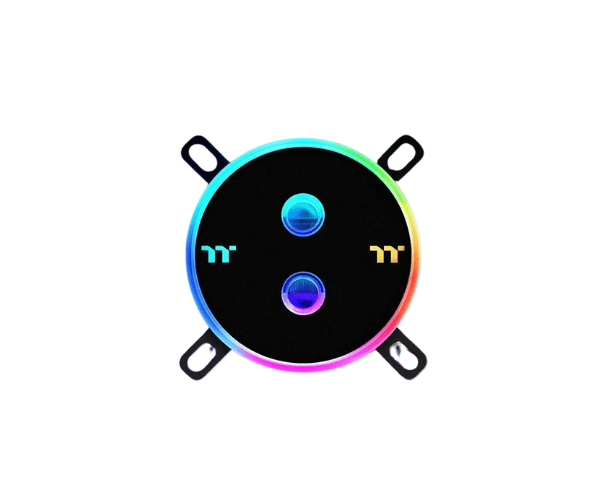
About this Thermaltake Pacific W4 CPU Water Block
The Thermaltake Pacific W4 Plus CPU Water Block is designed for high-performance cooling in custom PC builds. It features a durable, transparent top and a copper base for excellent heat dissipation, providing optimal cooling for your CPU.
Specification
| Feature |
Details |
| Brand |
Thermaltake |
| Model |
Thermaltake Pacific W4 Plus |
| Cooler Type |
CPU Water Block |
| Theme Display |
No |
| Number of Fans |
No |
| Fan Size (Height) |
Not Applicable |
| Fan Speed |
Not Applicable |
| Heat Sink Material |
Copper + PMMA |
| LED Color |
RGB |
| Approx. Power Consumption |
5W |
| Supported CPU Socket Brand |
Intel & AMD |
| Body Color |
Black |
| Body Dimensions |
93.4 x 93.4 x 22mm |
| Weight (Kg) |
0.670 Kg |
Description
Thermaltake Pacific W4 Plus CPU Water Block in BD
The Thermaltake Pacific W4 CPU cooler designed for enthusiasts needing serious cooling. Presenting a unique copper base with a transparent acrylic top that gives the whole thing some touch, along with top-of-the-line thermal efficiency. The integrated RGB lighting brings in additional beauty in your custom PC build.
User Experience
The Thermaltake pacific W4 Plus CPU Cooler is a great performer for irresistible coolness during heavy overclocking conditions. In addition to this, the built-in micro-channel copper base efficiently draws heat away so that the CPU remains under a low temperature even during high-stress operations. Installation is quite straightforward since one needs to follow user-friendly processes regarding installation of this product. In addition, it also brings flat, lively colors all over the setup through its RGB lighting. Most users talk about the easy addition to the water-based cooling systems in their PCs, with very few leakage or maintenance issues. With the sleek, modern aesthetic the block would enhance the look of any build, making it functional and visually appealing too. It is perfect for those wanting high-end performance with sleek design.
Why Choose the Thermaltake Pacific W4 Plus CPU Cooler
The Thermaltake Pacific W4 Plus CPU water block tosses out challenges due to its new copper base, thus completing the task for an efficient dissipation of heat and increased lifespan of the CPU. The transparent acrylic top and customized RGB lighting beautification serve as garnishing while coming as an entirety to any PC setting. This is a water block that fits into many Intel and AMD sockets. It is going to fit into most of the build setups. Gaming rig or a very high-performance workstation, the Thermaltake Pacific W4 Plus CPU can perform with great cooling efficiency and stunning aesthetics.
Installation Steps
- Prepare Your PC - The computer must be turned off and all cables removed from it.
- Remove Old Cooler - Remove the old CPU cooler, if any.
- Apply Thermal Paste - Apply the thermal paste thinly and evenly to the CPU surface.
- Position the Water Block - Place the Thermaltake W4 Plus CPU on the CPU socket, ensuring proper alignment.
- Secure the Block - Depending on the instructions, use the included mounting screws to secure the block to the CPU socket.
- Connect the Tubes - The water cooling tubes should be connected to the G1/4" ports on the water block.
- Connect RGB Light - Connect lighting cables to your compatible controller if they are RGB.
- Check Leak - Before powering, make sure that the water loop isn't leaking.
- Power Up and Test: Reconnect your system, switch it back on, and check the cooling performance.
What is the Price of the Thermaltake Pacific W4 Plus CPU Water Block in Bangladesh?
The latest price of
Thermaltake Pacific W4 Plus CPU Water Block in Bangladesh depends on quantity.
Crystal Vision Solutions ensure This product has the best market price in Bangladesh. Our product is 100% original and lowest price in Bangladesh. All kinds of services are the best in Bangladesh, and contact us for any information and latest price.