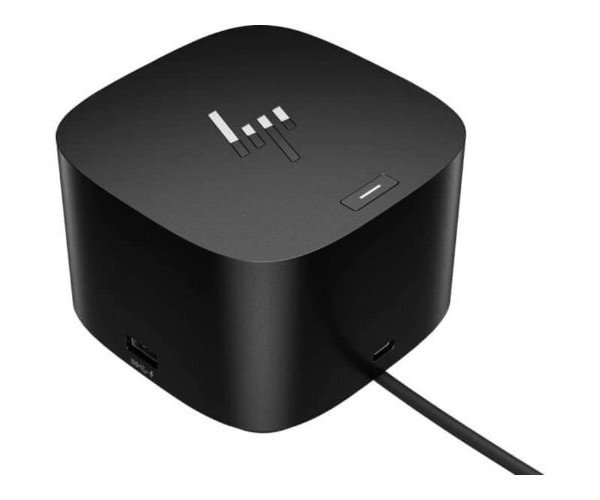
About the HP USB 5TW10AA#ABA G2 Docking Station
The HP USB 5TW10AA#ABA Dock G2 Docking Station is a smart and compact solution for expanding connectivity. It offers multiple ports, fast data transfer, and seamless integration, making it perfect for professionals who need a reliable desktop docking solution.
HP USB 5TW10AA#ABA Dock G2 Docking Station in BD
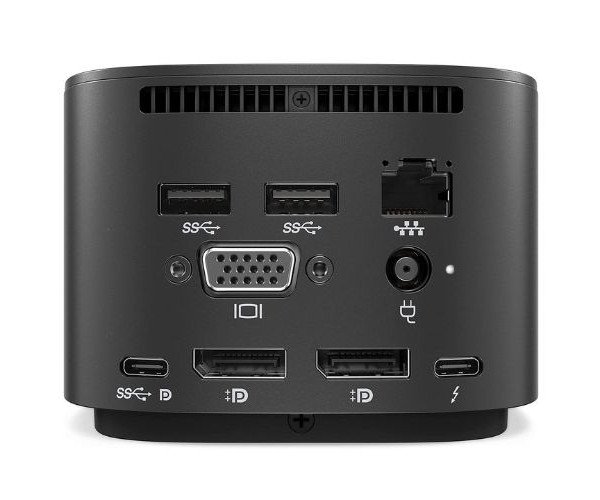
The HP USB 5TW10AA#ABA Dock G-2 Docking Station offers reliable and high-speed connectivity for your HP or compatible Windows laptops. With multiple USB, DisplayPort, and Ethernet connections, this docking station enhances your workspace while keeping your setup neat and tidy. It’s compact, powerful, and built for productivity.
User Experience
Users love the HP USB 5TW10AA#ABA Dock G2 Docking Stations for its plug-and-play setup and seamless performance. It keeps your desk organized by turning your laptop into a full workstation. With support for dual 4K displays, fast USB ports, and reliable network connections, working becomes smoother and more efficient. The sleek, durable design also fits perfectly in both home and office settings. Whether you’re attending video meetings, transferring files, or connecting to peripherals, this docking station works quietly and consistently in the background—just plug it in, and you’re good to go.
Why Choose the HP USB 5TW10AA-#ABA Dock G2 Docking Station?
Choosing the HP USB 5TW10AA#ABA Dock G2 Docking Station means upgrading your workspace with confidence. Designed by HP, a trusted global tech brand, this docking station offers more than just connectivity—it delivers stability, power, and performance. Unlike generic docks, it’s optimized for HP laptops and guarantees better driver support and compatibility. It supports high-resolution dual displays, fast USB 3.0 data transfer, and reliable Ethernet connectivity, making it the perfect hub for professionals who multitask. The solid build and 120W power adapter make it long-lasting and suitable for all-day use.
Installation Steps
-
Unbox the HP USB 5TW10AA#ABA G2 Docking Station and check all contents.
-
Place the dock on a flat surface near your laptop.
-
Connect the included USB-C cable to your laptop's USB-C port.
-
Plug the dock into a power outlet using the provided 120W adapter.
-
Connect your monitors, keyboard, mouse, and other devices to the dock.
-
Wait for your system to auto-detect and install drivers.
-
You're all set—enjoy a more powerful and clutter-free setup.