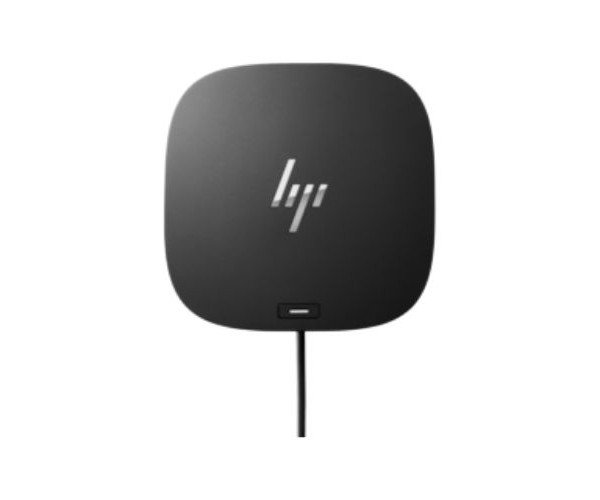
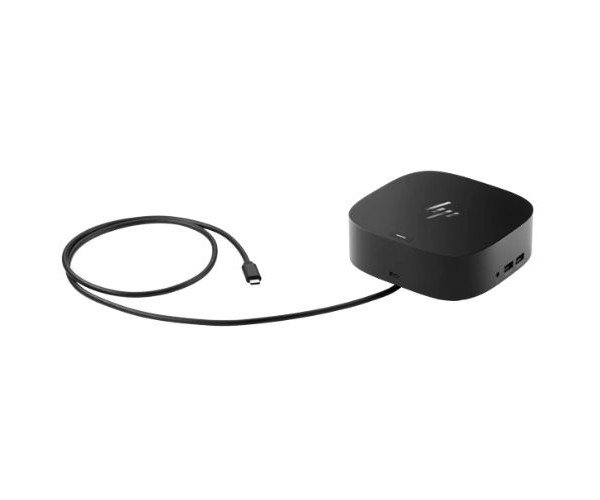
About the HP USB 26D32AA#ABL G2 Docking Station
The HP USB 26D32AA#ABL Dock G2 Docking Station is a powerful and easy-to-use docking solution that extends your laptop’s connectivity. It supports multiple ports, delivers strong performance, and simplifies workspace setups for professionals and home users alike.
HP USB 26D32AA#ABL Dock G2 Docking Station in BD
HP USB 26D32AA Dock G2 Docking Station is designed to expand upon how you work. It connects the laptop to displays, peripherals, and networks with a single cable. While in the office or home, this dock assists in arranging all your devices into one simple yet powerful setup.
User Experiences
Another game changer with the HP USB 26D32AA Dock G2 Docking Station is its use by professionals who juggle different tasks and devices. Users appreciate its plug-and-play operation: plug the laptop in, and the monitors, Ethernet, USB devices, and audio become instantly accessible. It feels solid and well-made, and it is very compact, saving precious space on desktops. Peripherals are ready for use right away, and with dual 4K display support, smooth multitasking becomes second nature. An excellent choice for users aiming for that uncluttered, cable-free persona while having reliable performance across all connected devices.
Why Choose the HP USB 26D32AA#ABL Docking Station?
Choosing HP USB 26D32AA#ABL Dock G2 Docking Station means that it is a one-in-all solution that enhances productivity and minimizes clutter. It connects everything: monitors, keyboard, mouse, and Ethernet-over-a-single USB-cable. With multiple USB ports, video outputs, and audio jacks, this dock eliminates the need for multiple adapters. Its compatibility with HP and other brand devices makes it a versatile solution. Professionals rely on the HP USB 26D32AA#ABL G2 Docking Station to deliver dependable performance over the long haul. This is the ultimate docking solution for the smart user who appreciates both form and function.
Installing Steps
- Unbox the HP USB 26D32AA#ABL G2 Docking Station and place on your desk.
- Connect the AC power adapter to the dock and plug it into the power outlet.
- Using the USB Type-B to USB cable provided, connect your laptop to the dock.
- Now power on your laptop—the drivers will install automatically.
- Connect your peripherals (monitor, keyboard, mouse, etc.) to the dock.
- Now start working with all of your devices connected via one simple dock.