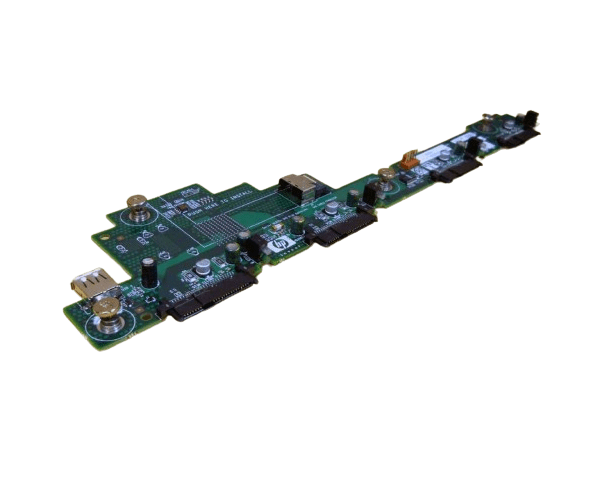
HP AH232-6706A SAS Disk Backplane Board for BL870c
The
HP AH232-6706A SAS Disk Backplane Board is a crucial component for the HP BL870c server. This backplane board provides reliable connectivity for SAS disk drives, enhancing the storage capabilities and performance of your server. Ideal for data-intensive applications, the
HP AH232-6706A SAS Disk Backplane Board ensures efficient data management and reliability.
User Experience
Users of the
HP AH232-6706A SAS Disk Backplane Board for the BL870c report a significant improvement in storage management and server performance. The tool-free installation simplifies setup, while the board's robust design ensures reliable connectivity for SAS drives. Overall, the
HP AH232-6706A SAS Disk Backplane Board is praised for its ease of use and dependable operation.
Why Choose the HP AH232-6706A SAS Disk Backplane Board?
The
HP AH232-6706A SAS Disk Backplane Board is the optimal choice for enhancing storage capabilities in the HP server. It supports SAS drives, providing a high-performance solution for managing large volumes of data. With its easy installation and reliable performance, the
HP AH232-6706A SAS Disk Backplane Board is a valuable addition for boosting server efficiency.
Key Features
- 4 Bay Capacity: Accommodates up to four SAS disk drives for expanded storage.
- Easy Installation: Tool-free design ensures quick and straightforward setup.
- Reliable Performance: Provides stable and efficient connectivity for SAS drives.
- Durable Construction: Designed to withstand the demands of high-performance servers.
- Compatible Design: Specifically engineered for HP BL870c servers.
Installation Steps
- Power Down the Server: Turn off the HP BL870c server and disconnect it from the power source.
- Open the Server Case: Remove the cover to access internal components.
- Locate the Backplane Slot: Identify the slot for the HP AH232-6706A SAS Disk Backplane Board.
- Install the Backplane: Align and insert the backplane board into the designated slot.
- Secure the Backplane: Ensure that the backplane is properly seated and connected.
- Connect SAS Drives: Attach the SAS disk drives to the backplane.
- Close the Server Case: Replace and secure the server cover.
- Power On: Reconnect the server to the power source and turn it on.
- Verify Operation: Check that all connected drives are recognized and functioning properly.