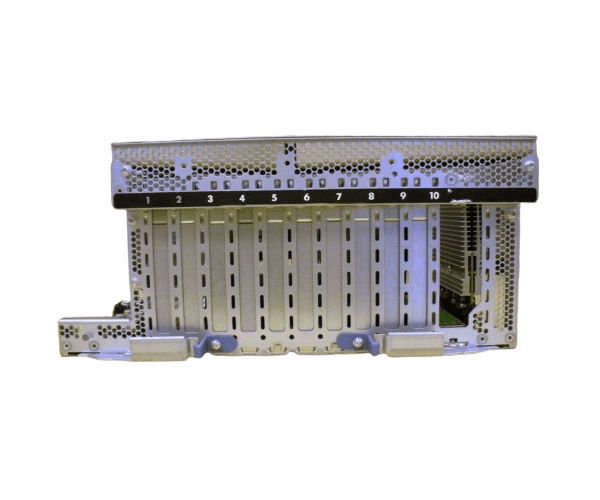
HP AB463-60028 AB463-69061 PCI Express Combo Backplane for rx3600 rx6600
The
HP AB463-60028 AB463-69061 PCI Express Combo Backplane is an essential component for HP ProLiant rx3600 and rx6600 servers. It provides a reliable interface for connecting various PCI Express cards and drives, ensuring efficient data handling and system expansion. Upgrade your server's performance with this high-quality backplane assembly.
User Experience
Users of the
HP AB463-60028 AB463-69061 PCI Express Combo Backplane find it essential for maximizing the capabilities of their HP ProLiant rx3600 and 6600 servers. The backplane is praised for its easy installation and reliable performance, providing a stable interface for various PCI Express cards and drives. Customers appreciate its robust build quality and seamless integration into existing server setups. With the
HP AB463-60028 AB463-69061, users experience improved system expansion and enhanced data handling, making it a valuable addition to any server environment.
Why Choose the HP AB463-60028 AB463-69061 PCI Express Combo Backplane?
Selecting the
HP AB463-60028 AB463-69061 PCI Express Combo Backplane ensures your HP ProLiant rx3-6-600 o server performs at its best. This backplane is specifically designed to provide reliable connectivity for PCI Express cards and drives, allowing for easy expansion and enhanced system capabilities. The
HP AB463-60028 AB463-69061 backplane supports up to four PCI Express slots, offering flexibility for various configurations and upgrades. Its plug-and-play design simplifies installation, making it a practical choice for both new installations and server upgrades. Choose the
HP AB463-60028 AB463-69061 for a dependable, high-performance solution.
Key Features
- Reliable Compatibility: Designed for HP ProLiant rx3600 and rx6600 servers.
- PCI Express Interface: Supports up to four PCI Express cards.
- Easy Installation: Plug-and-play setup for quick integration.
- Enhanced Performance: Improves system expansion and data handling.
- Durable Build: Constructed for high performance and reliability.
Installation Steps
- Power Down the Server: Ensure the server is turned off and unplugged from the power source.
- Open the Server Chassis: Remove the chassis cover to access internal components.
- Locate the Backplane Slot: Identify the slot designated for the PCI Express combo backplane.
- Install the Backplane: Carefully insert the HP AB463-60028 AB463-69061 PCI Express Combo Backplane into the slot.
- Connect Cables: Attach the necessary cables to the backplane for connectivity with the server’s motherboard and power supply.
- Secure the Backplane: Use screws or clips to ensure the backplane is firmly in place.
- Install PCI Express Cards: Insert your PCI Express cards into the available slots on the backplane.
- Close the Chassis: Replace and secure the server chassis cover.
- Power On the Server: Reconnect the power, turn on the server, and verify that the PCI Express cards are recognized and functioning correctly.