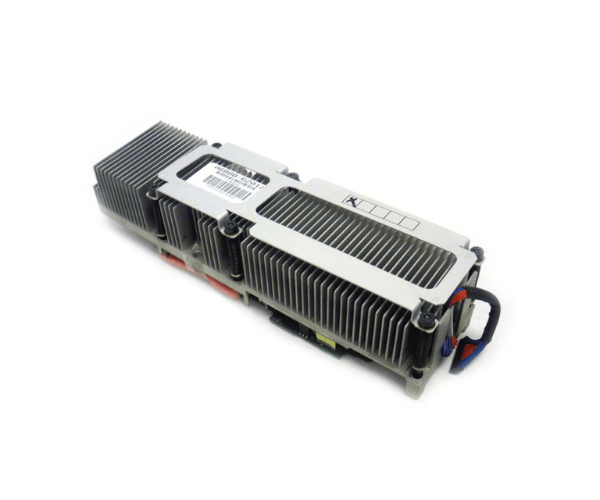
HP A6888-62012 1.0GHz Dual Core PA8800 Processor Kit for Superdome
The
HP A6888-62012 1.0GHz Dual Core PA8800 Processor Kit is designed to enhance the performance of HP Superdome servers. With its 1.0 GHz clock speed and dual-core architecture, this processor kit delivers reliable computing power for critical applications and demanding workloads, ensuring optimal server efficiency.
User Experience
The
HP A6888-62012 1.0GHz 2Core PA8800 Processor Kit offers substantial improvements in server performance, especially for the HP Superdome. Users find the dual-core configuration beneficial for managing multiple tasks and applications simultaneously, leading to better overall system responsiveness. The processor's reliable performance ensures stability and efficiency, making it a solid choice for enterprise environments where performance and reliability are crucial.
Why Choose the HP A6888-62012 1.0GHz 2Core PA8800 Processor Kit?
The
HP A6888-62012 1.0GHz 2Core PA8800 Processor Kit is an excellent choice for enhancing the performance of HP Superdome servers. Its 1.0 GHz clock speed and dual-core architecture provide a powerful boost to computing capabilities, ensuring that the server can handle demanding applications with ease. The
HP A6888-62012 processor kit is designed for seamless integration with HP Superdome systems, offering reliability and efficiency. By choosing the
HP A6888-62012, you invest in a processor that delivers consistent performance and supports high workloads, crucial for mission-critical applications.
Installation Steps
- Power down the Superdome server and disconnect it from the electrical outlet.
- Open the server chassis to access the CPU slots.
- Remove any existing processors if applicable.
- Align the HP A6888-62012 1.0GHz 2Core PA8800 Processor Kit with the socket, ensuring proper alignment with notches.
- Insert the processor gently into the socket.
- Secure the processor with the locking mechanism.
- Apply thermal paste to the processor surface.
- Reattach the cooling fan and heatsink.
- Close the server chassis and reconnect the power supply.
- Power on the server and verify the new processor installation in the system BIOS.