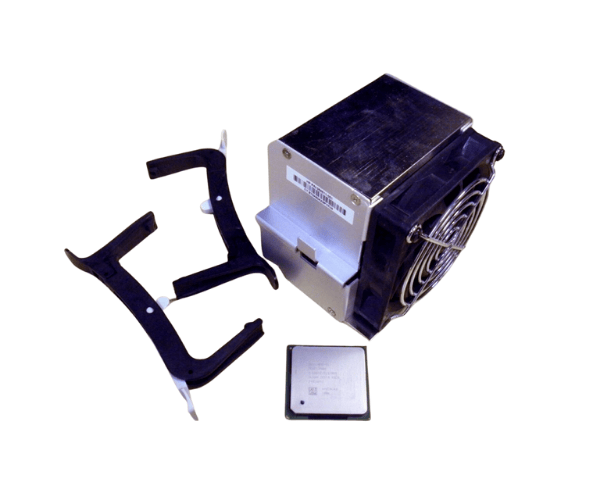
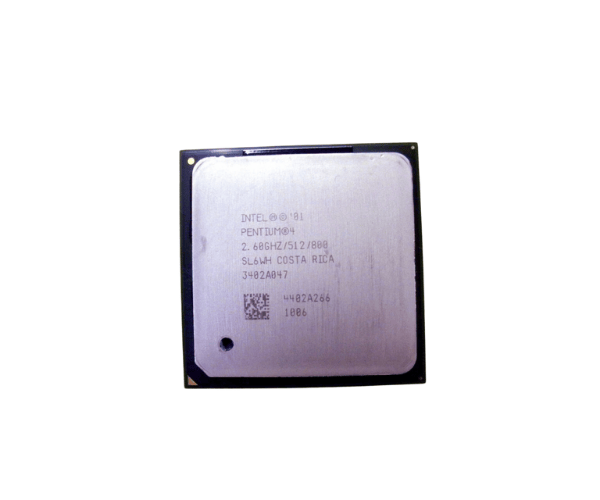
HP 333863-001 Intel Pent 4 2.60GHz/512K CPU
The
HP 333863-001 Intel Pent 4 2.60GHz/512K CPU is a reliable processor designed to enhance the performance of various HP systems. With a 2.60GHz clock speed and 512KB of cache, this CPU provides a solid balance of speed and efficiency for everyday computing tasks and moderate workloads.
User Experience
The
HP 333863-001 Intel Pentium 4 2.60GHz/512K CPU offers a dependable upgrade for HP systems, enhancing performance with its 2.60GHz clock speed. Users find that this CPU efficiently handles everyday tasks such as word processing, web browsing, and light multitasking. Its 512KB L2 cache improves data access times, contributing to a smoother computing experience. While not suited for high-end gaming or intensive applications, the
HP 333863-001 Intel Pentium 4 2.60GHz/512K CPU is praised for its reliability and cost-effectiveness in older or budget systems. It provides a significant performance boost over older processors, making it a practical choice for upgrading legacy systems.
Why Choose the HP 333863-001 Intel Pentium 4 2.60GHz/512K CPU?
The
HP 333863-001 Intel Pentium 4 2.60GHz/512K CPU is an excellent choice for users seeking a reliable and cost-effective processor upgrade for HP systems. Its 2.60GHz clock speed delivers a solid performance boost for general computing tasks, while the 512KB L2 cache enhances efficiency by reducing data retrieval times. The CPU's compatibility with Socket 478 motherboards makes it a versatile option for upgrading older systems. The
HP 333863-001 Intel Pentium 4 2.60GHz/512K CPU also features a thermal design power of 84W, ensuring stable operation under typical conditions. For those with budget constraints or legacy systems, this processor provides a practical solution for improved performance without the need for a complete system overhaul.
Installation Steps
- Power down the computer and disconnect all power cables.
- Open the computer case and locate the CPU socket.
- Remove the existing CPU if present, and clean any old thermal paste from the socket area.
- Align the HP 333863-001 Intel Pentium 4 2.60GHz/512K CPU with the socket.
- Gently place the CPU into the socket and secure it with the retention mechanism.
- Apply a thin layer of thermal paste on the top of the CPU.
- Reattach the heatsink and fan assembly, ensuring proper contact with the CPU.
- Close the computer case, reconnect all power cables, and power on the system.