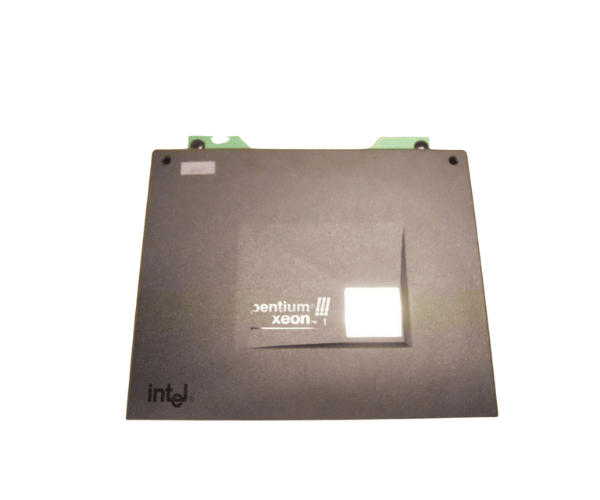
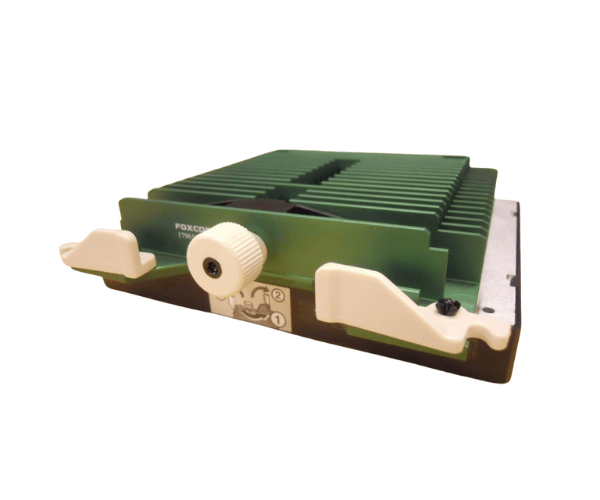
HP 179616-004 Intel Xeon PIII 700MHz Processor DL580 DL570
The
HP 179616-004 Intel Xeon PIII 700MHz Processor is designed for reliable performance in HP DL580 and DL570 servers. This powerful processor enhances computing capabilities, allowing your server to handle demanding applications with ease. Upgrade your system with the
HP 179616-004 for improved efficiency and performance.
User Experience
Users of the
HP 179616-004 Intel Xeon PIII 700MHz Processor have reported significant improvements in server performance. This processor is ideal for small to medium business applications, providing fast processing speeds that enhance multitasking capabilities. Users appreciate the reliability of the
HP 179616-004 in handling various workloads without interruption.
The installation process for the
HP 179616-004 is straightforward, making it a popular choice for IT professionals. Many have successfully upgraded their servers with minimal downtime, ensuring business continuity. The dual-core architecture allows for efficient processing, making it easier to manage multiple applications simultaneously.
Furthermore, the
HP 179616-004 provides energy efficiency with a low power consumption of only 30W. This results in lower operating costs, allowing businesses to save on energy bills while still benefiting from excellent performance. Users have expressed satisfaction with the balance between performance and cost, noting that the
HP 179616-004 delivers value for their investment.
Why Choose the HP 179616-004 Processor?
Choosing the
HP 179616-004 Intel Xeon PIII 700MHz Processor means investing in a dependable solution for your HP DL580 and DL570 servers. This processor is built to meet the demands of various applications, ensuring optimal performance for tasks like data processing, web hosting, and running virtual machines.
The
HP 179616-004 offers dual-core processing capabilities, enabling efficient multitasking and improved responsiveness. Businesses looking for reliable server performance will find this processor to be a valuable asset. Its compatibility with the DL580 and DL570 models ensures seamless integration, allowing for a smooth upgrade path.
In addition, the
HP 179616-004 supports up to 8 GB of SDRAM, making it suitable for businesses that require significant memory for their applications. This feature allows users to expand their server capabilities as their needs grow.
Another reason to choose the
HP 179616-004 is its easy installation process. IT teams can quickly replace existing processors with this model, minimizing downtime and ensuring that operations remain uninterrupted. The user-friendly design enhances productivity and reduces frustration during upgrades.
Installation Steps
- Power Down the Server: Shut down your HP DL580 or DL570 server and disconnect it from the power source.
- Open the Server Chassis: Remove the server cover to access the internal components.
- Remove Existing Processor: If a processor is currently installed, lift the retention lever to release it from the socket.
- Install the New Processor: Align the HP 179616-004 processor with the socket, ensuring the notches match correctly.
- Secure the Processor: Press down on the processor until it sits firmly in the socket, then lower the retention lever to lock it in place.
- Apply Thermal Paste: If necessary, apply a thin layer of thermal paste according to HP guidelines.
- Reattach the Heat Sink: Place the heat sink over the processor and secure it following the manufacturer's instructions.
- Close the Server: Replace the server cover and reconnect the power supply.
- Power On the Server: Turn on the server and check the BIOS to ensure the new processor is recognized and operating correctly.