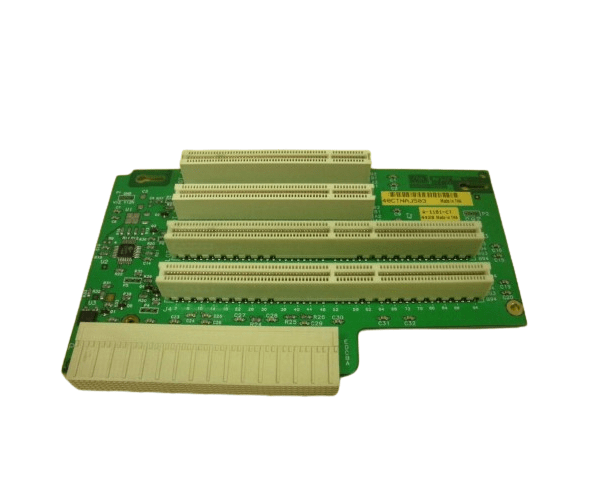
HP A6070-66520 PCI BACKPLANE PC BOARD B2600
The
HP A6070-66520 PCI Backplane PC Board is a critical component for the HP B2600 server. It supports PCI expansion cards, providing essential connectivity and enhancing the server's functionality. This backplane is designed for reliable performance and easy integration into your server setup.
User Experience
Users of the HP A6070-66520 PCI Backplane Board B2600 report a straightforward installation process and stable performance. The tool-free design simplifies setup, while the PCI support ensures compatibility with a range of expansion cards. This backplane enhances the versatility and capability of the HP B2600 server, making it a preferred choice for users needing reliable connectivity.
Why Choose the HP A6070-66520 PCI Backplane PC Board?
The
HP A6070-66520 PCI Backplane Board B2600 is an excellent choice for those needing to expand their HP B2600 server’s connectivity. Its PCI support allows for easy integration of additional expansion cards, improving the server’s overall functionality. Opting for the
HP A6070-66520 PCI Backplane PC Board ensures reliable and efficient performance in your server environment.
Key Features
- PCI Support: Accommodates PCI expansion cards for increased functionality.
- Easy Installation: Tool-free design allows for quick and hassle-free setup.
- Reliable Performance: Ensures stable operation for critical server applications.
- Durable Construction: Built to withstand the demands of high-performance server environments.
- Compatible Design: Specifically designed for HP B2600 servers.
Installation Steps
- Power Down the Server: Turn off the HP B2600 server and disconnect it from the power source.
- Open the Server Case: Remove the cover to access internal components.
- Locate the Backplane Slot: Find the slot for the HP A6070-66520 PCI Backplane PC Board.
- Install the Backplane: Align and insert the backplane into the designated slot.
- Secure the Backplane: Ensure that the backplane is properly seated and connected.
- Connect Expansion Cards: Attach PCI expansion cards to the backplane.
- Close the Server Case: Replace and secure the server cover.
- Power On: Reconnect the server to the power source and turn it on.
- Verify Operation: Check that all connected expansion cards are recognized and functioning correctly.