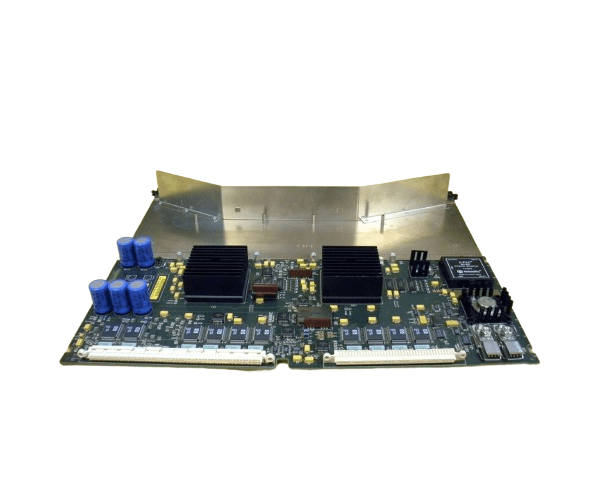
HP A1820-60026 T500 Motherboard
The
HP A1820-60026 T500 Motherboard is a crucial component designed to maximize the performance of your HP T500 system. Built to support efficient data processing and robust system management, this motherboard ensures that your server operates at peak efficiency, making it a reliable choice for any demanding IT environment.
User Experience
Users of the
HP A18 20-60026 T500 Motherboard appreciate its seamless integration with the HP T500 system, allowing for easy upgrades and reliable performance. The motherboard’s design supports high-speed processors and large memory capacities, making it ideal for handling intensive tasks. Whether used in a data center or an office environment, the motherboard ensures smooth operation and minimal downtime. IT professionals value the straightforward installation process and the enhanced system stability provided by this component. The
HP A1820-60026 T500 Motherboard delivers consistent and reliable performance, meeting the demands of modern business applications.
Why Choose the HP A1 820-60026 T500 Motherboard?
Choosing the
HP A18 20-60026 T500 Motherboard ensures that your HP T500 system operates at its full potential. This motherboard is specifically designed for the T500, providing optimal compatibility and performance. With support for multiple high-speed processors and large memory capacities, it is equipped to handle the most demanding tasks, from data processing to virtualization. The
HP A1820-60 026 T500 Motherboard also features multiple expansion slots, allowing you to customize your system with additional hardware as needed. Its energy-efficient design reduces power consumption, helping to lower operational costs. For businesses seeking a reliable and scalable solution, the
HP A1820-600 26 T500 Motherboard is an excellent choice.
Installation Steps
- Power down the HP T500 system and disconnect it from the power source.
- Open the system chassis according to the manufacturer’s instructions.
- Carefully remove the existing motherboard, ensuring all cables and components are detached safely.
- Align the HP A1820-60 026 T500 Motherboard with the mounting points in the chassis.
- Secure the motherboard using screws or fasteners as required.
- Reconnect all necessary cables, including power, storage, and data connectors.
- Insert any additional hardware, such as RAM or expansion cards, into the appropriate slots on the motherboard.
- Close the system chassis and reconnect the power source.
- Power on the system and verify that the motherboard is functioning correctly through the system’s BIOS or setup utility.