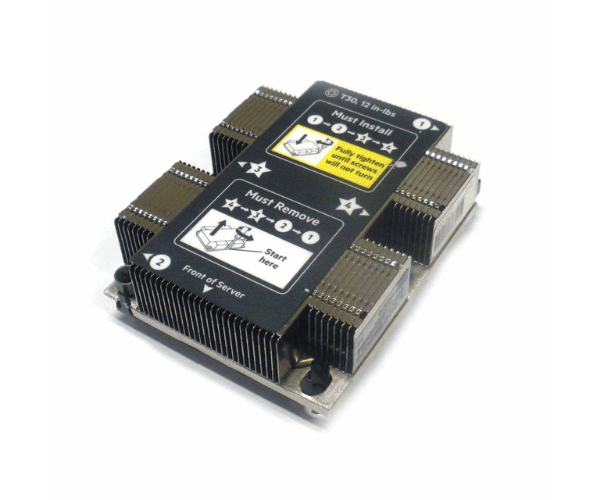
HP 860663-L21 Intel Gold 5118 2.3Ghz 12-Core CPU DL360
The
HP 860663-L21 Intel Gold 5118 2.3GHz 12-Core CPU is a high-performance processor designed to enhance the capabilities of your HP DL360 server. With 12 cores operating at 2.3GHz, this CPU delivers exceptional processing power and efficiency for demanding enterprise applications and data processing tasks.
User Experience
The
HP 860663-L21 Intel Gold 5118 2.3GHz 12-Core CPU is highly praised for its robust performance and reliability in server environments. Users report significant improvements in processing speed and multitasking capabilities, thanks to its 12 cores and 24 threads. This CPU efficiently handles complex computations and data-intensive applications, making it ideal for enterprise-level tasks. Its 2.3GHz clock speed ensures consistent performance, while the large cache size helps in faster data retrieval. Overall, the
HP 860663-L21 Intel Gold 5118 enhances server performance and reliability, contributing to a smoother operational experience.
Why Choose the HP 860663-L21 Intel Gold 5118 2.3GHz 12-Core CPU?
Choosing the
HP 860663-L21 Intel Gold 5118 2.3GHz 12-Core CPU means upgrading to a high-performance processor designed for demanding server applications. With its 12-core and 24-thread configuration, it provides substantial processing power and efficiency. The 2.3GHz clock speed ensures swift execution of tasks, while the large 16.5 MB cache improves data access times. This CPU is specifically engineered to work seamlessly with HP DL360 servers, making it a reliable choice for enhancing your server's performance. Investing in the
HP 860663-L21 Intel Gold 5118 ensures a significant boost in computing power and operational efficiency.
Installation Steps
- Power down the server and disconnect all power and peripheral cables.
- Open the server chassis to access the CPU socket.
- Remove the existing CPU cooler if one is present.
- Release the locking mechanism on the CPU socket.
- Carefully remove the old CPU from the socket.
- Align the HP 860663-L21 Intel Gold 5118 2.3GHz 12-Core CPU with the socket and insert it gently.
- Lock the CPU into place using the socket mechanism.
- Reinstall the CPU cooler, ensuring proper thermal paste application.
- Close the server chassis and reconnect all external cables.
- Power on the server and check for proper CPU recognition in the BIOS settings.