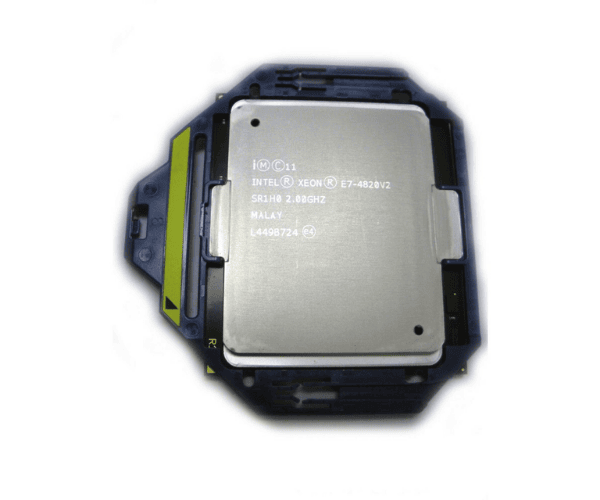
HP 734153-001 Processor Intel SR1H0 Xeon E7-4820v2
The
HP 734153-001 Processor Intel SR1H0 Xeon E7-4820v2 offers exceptional performance and reliability for enterprise servers. With its advanced 10-core architecture and high clock speed, this processor is ideal for handling intensive workloads and large-scale applications, ensuring efficient and smooth operation in demanding environments.
User Experience
The
HP 734153-001 Processor Intel Xeon E7-4820v2 is highly regarded for its robust performance in server applications. Users appreciate its ability to handle heavy workloads with ease, thanks to its 10 cores and 20 threads. This processor provides a significant boost in processing power, making it suitable for virtualization, data analytics, and complex computational tasks. Its 2.0 GHz clock speed ensures fast execution of applications, while the 25 MB cache improves data access efficiency. Overall, the
HP 734153-001 Xeon E7-4820v2 enhances server performance and reliability, contributing to a more efficient IT infrastructure.
Why Choose the HP 734153-001 Processor Intel SR1H0 Xeon E7-4820v2?
Choosing the
HP 734153-001 Processor Intel SR1H0 E7-4820v2 means investing in a high-performance server processor designed for demanding tasks. With 10 cores and 20 threads, this processor provides outstanding multitasking performance and efficient processing power. The 2.0 GHz clock speed, combined with a large 25 MB cache, ensures rapid data processing and improved application performance. The
HP 734153-001 Xeon E7-4820v2 is engineered to work seamlessly with HP ProLiant servers, making it a reliable choice for enhancing server performance. By selecting this processor, you gain a powerful and efficient solution for your server's needs.
Installation Steps
- Power down the server and disconnect all power and peripheral cables.
- Remove the server chassis cover to access the CPU socket.
- Remove the existing CPU cooler if one is present.
- Disengage the locking mechanism on the CPU socket.
- Gently take out the old CPU from the socket.
- Align the HP 734153-001 Processor SR1H0 Xeon E7-4820v2 with the socket and insert it gently.
- Lock the CPU into place using the socket mechanism.
- Reinstall the CPU cooler, ensuring proper thermal paste application.
- Close the server chassis and reconnect all external cables.
- Power on the server and verify the CPU is recognized in the BIOS settings.