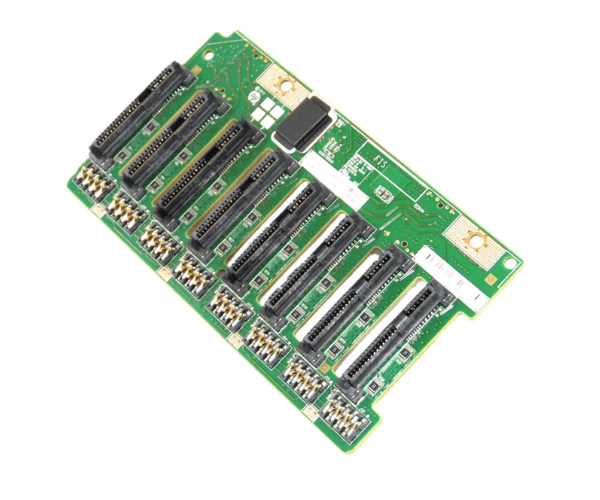
HP 729820-001 DRIVE BACKPLANE SFF 8 BAY DL380 Gen 9
The
HP 729820-001 Drive Backplane SFF 8 Bay DL380 Gen 9 is a critical component for expanding storage in HP ProLiant DL380 Gen9 servers. Supporting up to eight small form factor (SFF) drives, this backplane enhances storage capabilities, ensuring efficient data management and improved server performance.
User Experience
The
HP 729820-001 Drive Backplane Small Form Factor 8 Bay DL380 Gen 9 is well-regarded for its ease of installation and reliable performance. Users appreciate the tool-free installation, which simplifies the upgrade process, and the ability to support multiple drives, allowing for significant increases in storage capacity. The backplane’s robust design ensures stable operation, making it a valuable addition to any high-performance server setup.
Why Choose the HP 729820-001 Drive Backplane Small Form Factor 8 Bay DL380 Gen 9?
The
HP 729820-001 Drive Backplane Small Form Factor 8 Bay DL380 Gen 9 is an optimal choice for expanding storage in HP ProLiant DL380 Gen9 servers. It supports up to eight 2.5" SFF drives, providing ample storage capacity and efficient data handling. By selecting the
HP 729820-001 Drive Backplane Small Form Factor 8 Bay DL380 Gen 9, you ensure that your server can meet increasing data demands, improve performance, and enhance overall flexibility.
Key Features
- High Storage Capacity: Supports up to eight 2.5" SFF hard drives.
- Seamless Integration: Designed specifically for HP ProLiant DL380 Gen9 servers.
- Tool-Free Installation: Facilitates quick and easy setup without the need for additional tools.
- Efficient Data Management: Enhances the server’s ability to manage large volumes of data effectively.
- Durable Construction: Built to handle the demands of high-performance server environments.
Installation Steps
- Power Down the Server: Turn off the HP ProLiant DL380 Gen9 server and disconnect it from the power source.
- Open the Server Case: Remove the server cover to access internal components.
- Locate the Backplane Slot: Find the slot designated for the HP 729820-001 Drive Backplane Bay DL380 Gen 9.
- Install the Backplane: Align and insert the backplane into the designated slot.
- Secure the Backplane: Ensure the backplane is properly seated and connected.
- Connect Drives: Attach up to eight 2.5" SFF hard drives to the backplane.
- Close the Server Case: Replace and secure the server cover.
- Power On: Reconnect the server to the power source and turn it on.
- Verify Operation: Check that all connected drives are recognized and functioning correctly.