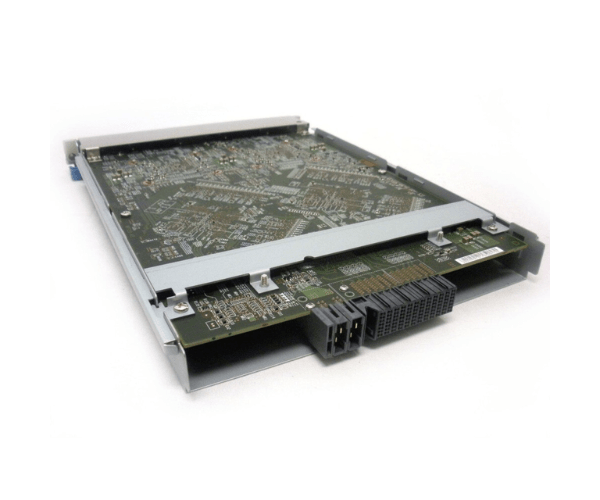
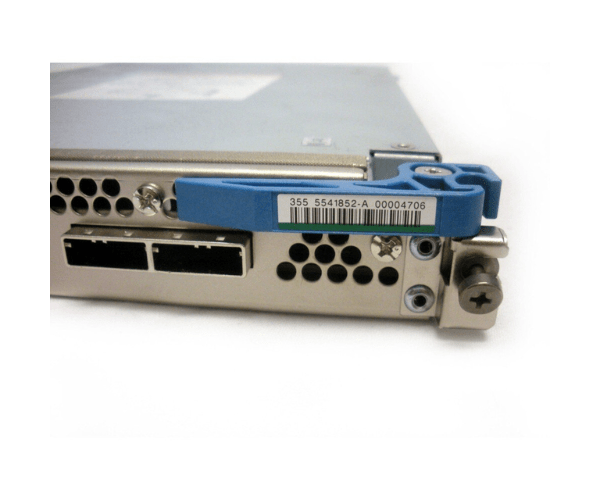
HP 5541852-A XP P9500 SAS DKA Drive Controller Adapter
The
HP 5541852-A XP P9500 SAS DKA Drive Controller Adapter is engineered to deliver high-performance and reliable connectivity for HP XP P9500 storage systems. With advanced SAS interface technology, it provides robust data management and enhances the efficiency of enterprise-level storage solutions, ensuring optimal performance and reliability.
User Experience
The
HP 5541852-A XP P9500 SAS DKA Controller Adapter is highly valued for its seamless integration and dependable performance in HP XP P9500 storage systems. Users experience enhanced data throughput and reliability, crucial for maintaining high-speed access and managing large volumes of data efficiently. Its ease of installation and compatibility with various RAID configurations make it a top choice for enterprise storage needs.
Why Choose the HP 5541852-A XP P9500 SAS DKA Drive Controllers Adapter?
The
HP 5541 852-A XP P9500 SAS DKA Drive Controller Adapter stands out for its high-speed data transfer capabilities and exceptional reliability. It supports multiple RAID levels, offering flexibility in data management and protection. Designed for HP XP P9500 storage systems, this adapter ensures optimal performance and integration, making it a reliable choice for enterprise environments seeking to upgrade their storage infrastructure.
Installation Steps
- Prepare the System: Turn off the HP XP P9500 storage system and disconnect it from the power source.
- Open the Enclosure: Follow the manufacturer’s instructions to access the internal components of the storage system.
- Remove the Old Controller: Carefully remove the existing SAS drive controller adapter if replacing it.
- Install the New Adapter: Unbox the HP 5541852-A XP P9500 SAS Controller Adapter, align it with the slot, and insert it securely.
- Reconnect Cables: Attach the SAS cables to the new adapter, ensuring all connections are firm.
- Close the Enclosure: Reassemble the storage system enclosure and reconnect the power.
- Power On and Configure: Restart the system and configure the new controller adapter through the management interface.