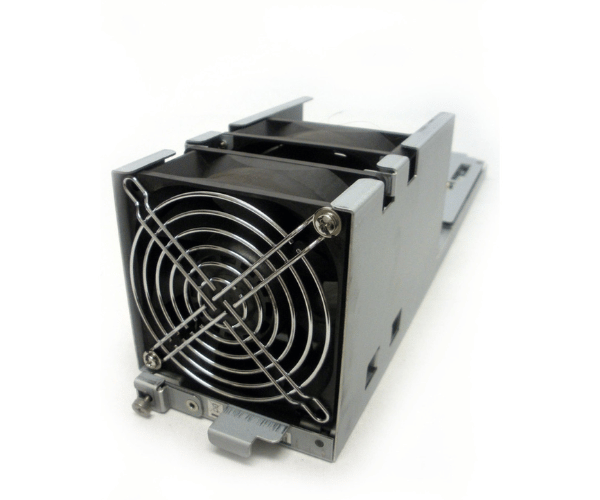
HP 5541820-A XP P9500 HDS VSP Fan Module
The HP 5541820-A XP P9500 HDS VSP Fan Module is a critical component for maintaining effective cooling in HP XP P9500 storage systems. Designed for high-density storage environments, this fan module ensures optimal airflow, helping to prevent overheating and ensuring the reliable operation of your hardware. It supports system stability and longevity with its efficient cooling performance.
User Experience
Users of the HP 5541820-A XP P9500 HDS VSP Fans Module appreciate its ability to maintain optimal cooling in demanding environments. The module enhances airflow within the HP XP P9500 chassis, effectively managing heat to prevent system overheating. Its lightweight design simplifies installation, and the fan module's reliable performance contributes to system stability and longevity. Customers report improved hardware performance and reduced risk of overheating, making the HP 5541820-A a valued component in their storage infrastructure.
Why Choose the HP 5541820-A XP P9500 HDS VSP Fan Module?
The
HP 5541820-A XP P9500 Hitachi Data Systems VSP Fan Module is designed to deliver efficient and effective cooling for HP XP P9500 storage systems. By choosing the HP 5541820-A, you ensure that your high-density storage environment benefits from superior airflow, preventing overheating and maintaining optimal system performance. The module’s specific design for the XP P9500 chassis guarantees a perfect fit and reliable cooling solution. Select the HP 5541820-A for enhanced system stability and longevity.
Key Features
- High-Density Airflow: Optimizes cooling in high-density storage environments.
- Compatibility: Designed for HP XP P9500 storage systems.
- Efficient Cooling: Prevents overheating and maintains system stability.
- Lightweight Design: Easy to handle and install.
- Reliable Performance: Ensures consistent operation and extends hardware life.
Installation Steps
- Power Down the System: Turn off the HP XP P9500 storage system to ensure safety during installation.
- Locate the Fan Module Slot: Find the designated slot for the fan module within the chassis.
- Remove the Existing Module (if applicable): Carefully remove any old or faulty fan module from the slot.
- Install the HP 5541820-A Fan Module: Align the new HP 5541820-A fan module with the slot and insert it securely.
- Secure the Module: Make sure the fan module is firmly installed and connected.
- Power On the System: Reconnect power and turn on the system to verify that the new fan module is functioning correctly.