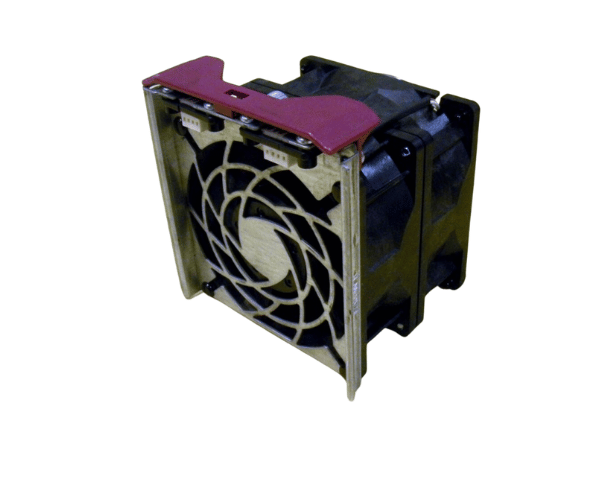
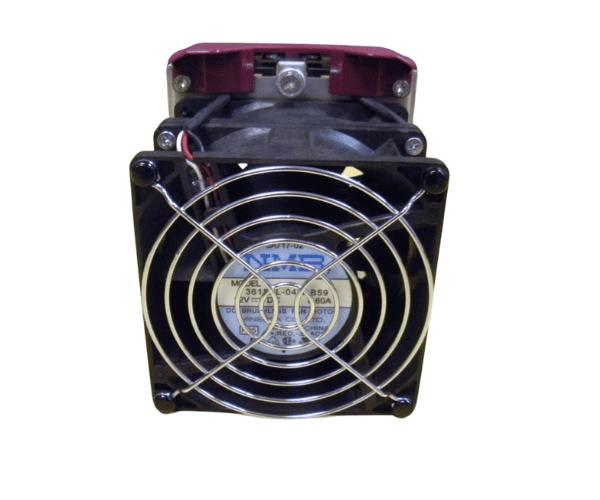
HP 176394-001 DL580-G1 92MM x 38MM Fan
The HP 176394-001 DL580-G1 92MM x 38MM Fan is designed to deliver superior cooling for the HP DL580-G1 server. This high-performance fan ensures optimal airflow and temperature regulation, enhancing the server's reliability and longevity. The HP 176394-001 is essential for maintaining stable operation under demanding conditions.
User Experience
The HP 176394-001 DL580-G1 92MM 38MM Fan is highly praised by users for its effective cooling and quiet performance. It seamlessly integrates into the HP DL580-G1 server, providing reliable airflow that prevents overheating and ensures stable server operation. Users appreciate the fan's durability and ease of installation, making it a favored choice for server maintenance. The low noise level is particularly valued in environments where minimal sound is crucial, enhancing overall user satisfaction with the HP 176394-001.
Why choose the HP 176394-001 DL580-G1 92MM x 38MM fan?
Choosing the
HP 176394-001 DL580-G1 92MM 38MM Fan ensures efficient cooling for your HP DL580-G1 server, which is essential for maintaining system performance and preventing overheating. The HP 176394-001 is specifically designed for the DL580-G1, guaranteeing compatibility and optimal cooling. Its robust build quality and low noise operation make it a reliable and unobtrusive choice for cooling. By selecting the HP 176394-001, you invest in a cooling solution that supports long-term server health and reliable operation, making it a smart choice for critical server environments.
Key Features
- Effective cooling provides powerful airflow to maintain optimal server temperatures.
- Reliable Performance: Ensures consistent cooling under high server loads.
- Durable Construction: Built with premium materials for extended durability.
Quiet Operation: Engineered for low-noise performance, reducing disruptions.
- Easy Installation: Simple to install in the HP DL580-G1 server, with a perfect fit.
Installation Steps
- Power Down the Server: Shut down the server and disconnect it from all power sources to ensure safety.
- Open the Server Chassis: Take off the cover or access panel to access the internal parts of the server.
- Locate the Existing Fan: Find the old fan assembly in the server.
- Remove the Old Fan: Disconnect and carefully remove the old fan from its mounting location.
- Install the HP 176394-001 Fan: Insert the HP 92MM 38MM Fan into the designated slot and secure it with screws or clips.
- Reassemble the server: Replace the cover or access panel and reconnect all power sources.
- Verify Operation: Power on the server and ensure that the HP 176394-001 fan is functioning correctly and providing adequate cooling.