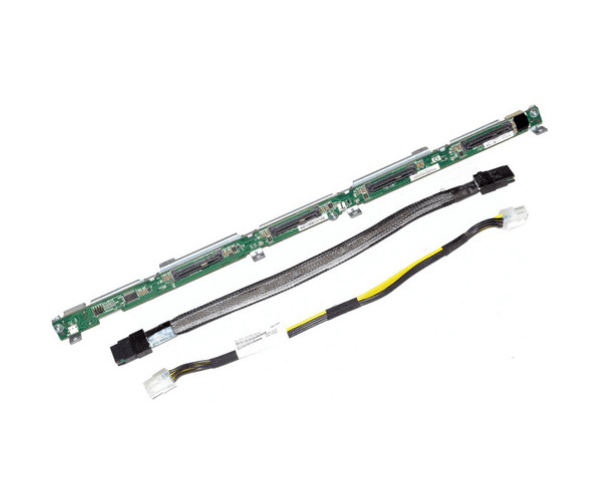
HP 532147-001 HARD DRIVE TOP BACKPLANE ASSEMBLY DL360 G6/G7
The
HP 532147-001 Hard Drive Top Backplane Assembly DL360 G6/G7 is a vital component for HP ProLiant DL360 G6 and G7 servers. It ensures reliable connections between the server's mainboard and hard drives, offering stable performance and easy integration. Enhance your server’s storage capabilities with this high-quality backplane assembly.
User Experience
Users of the HP 532147-001 Hard Drive Top Backplane Assembly report a smooth installation process and reliable performance. This backplane assembly is specifically designed for the DL360 G6 and G7 servers, ensuring compatibility and easy integration. Customers appreciate the secure and stable connections it provides, which helps to maintain data integrity and system efficiency. The
HP 532147-001 backplane is praised for its durability and consistent performance, making it a preferred choice for both upgrading and maintaining HP ProLiant servers.
Why Choose the HP 532147-001 Hard Drive Top Backplane Assembly DL360 G6/G7?
Opting for the
HP 532147-001 Hard Drive Top Backplane Assembly guarantees optimal performance and reliability for your HP ProLiant DL360 G6 or G7 server. This backplane assembly is engineered to provide seamless connectivity between the server’s mainboard and hard drives, supporting up to eight drives for increased storage capacity. The
HP 532147-001 backplane enhances data transfer rates and ensures stability in high-demand environments. Its plug-and-play design simplifies installation, making it an excellent choice for businesses needing a dependable and efficient storage solution.
Key Features
- Seamless Compatibility: Designed for HP ProLiant DL360 G6/G7 servers.
- High Capacity: Supports up to eight hard drives for expanded storage.
- Reliable Performance: Ensures stable connections and data integrity.
- Easy Installation: Plug-and-play design for quick setup.
- Durable Construction: Built to withstand high-performance demands.
Installation Steps
- Power Down the Server: Turn off the server and disconnect it from the power source.
- Open the Server Chassis: Remove the chassis cover to access the internal components.
- Locate the Backplane Slot: Find the designated slot for the hard drive top backplane assembly.
- Install the Backplane Assembly: Carefully insert the HP 532147-001 Hard Drive Top Backplane Assembly into the slot.
- Connect the Cables: Attach the necessary cables to the backplane assembly to connect it to the server’s motherboard and power supply.
- Secure the Backplane: Use screws or clips to secure the backplane assembly in place.
- Install Hard Drives: Insert hard drives into the backplane’s drive bays.
- Close the Chassis: Replace and secure the server’s chassis cover.
- Power On the Server: Reconnect the power and turn on the server. Verify that the hard drives are recognized and functioning correctly.