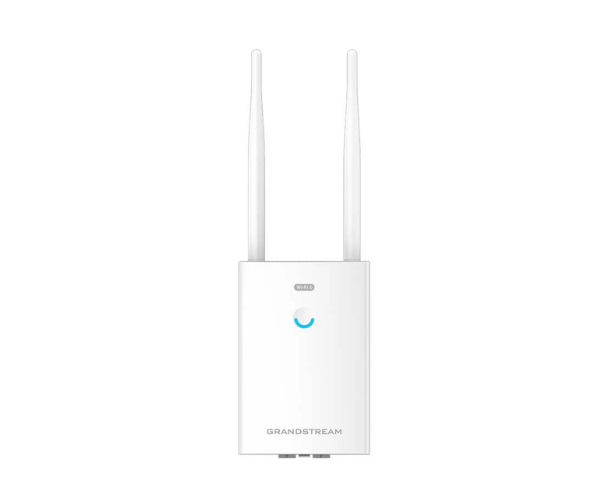
About Grandstream GWN7660LR Indoor and Outdoor Access Point
The Grandstream GWN7660LR Indoor and Outdoor Access Point is one of the most powerful Wi-Fi 6 indoor as well as outdoor accessible access points. It offers high-performance long-range wireless connectivity in even adverse weather conditions. Office, school, warehouse, or open area, it offers fast, stable, and secure access to internet connections.
Grandstream GWN7660LR Indoor And Outdoor Access Point in BD
The Grandstream GWN7660LR Indoor and Outdoor Access Point is available in Bangladesh at top IT shops and network solution providers. It is the best option for businesses who wish to enjoy Wi-Fi outdoors with fast speeds and reliable connections regardless of weather conditions.
User Experience of Grandstream GWN7660LR Indoor And Outdoor Access Point
Users love the strong and broad coverage signal of the Grandstream GWN7660LR, especially in outdoor environments or outdoor locations. The access point performs well with numerous users on the network and is solid with overuse. Management in the cloud is simple and effective for IT staff, keeping on-premises maintenance to a bare minimum.
Why Maintain Grandstream GWN7660LR Indoor and Outdoor Access Point?
The Grandstream GWN7660LR Indoor and Outdoor Access Point delivers high-speed, long-range Wi-Fi performance with weather-proof ruggedness. It offers Wi-Fi 6 technology support for better device support, efficiency, and secure connections. It is perfect for organizations that need a single device to be installed both indoors and outdoors without compromising performance.
Key Features
- Wi-Fi 6 (802.11ax) supported for better speed and higher device connections.
- Dual-band support with maximum combined Wi-Fi speed of up to 2.5 Gbps.
- Internal directional antennas for long distance signal support.
- Dust- and waterproof IP66 enclosure.
- PoE/PoE+ supported for seamless deployment with no extra power cables.
- 256+ users supported in parallel.
- Cloud or locally managed with GWN.Cloud or Web UI.
- Robust security features with WPA3 and MAC filtering.
- Optimized for indoor office use and outdoor.
- Wall or pole-mountable for simple installation.
How to Maintain Grandstream GWN7660LR Indoor And Outdoor Access Point.
- Update firmware using GWN.Cloud or local logins for best performance and security.
- Check outdoor mounts and cables regularly, especially in extreme weather.
- Wipe outer case with dry cloth when dirty or dusty.
- Check device health and user traffic via the GWN.Cloud dashboard.
- Restart access point routinely for simple maintenance.
Installation Steps
- Unbox the Grandstream GWN7660LR and check all the parts.
- Mount securely on wall or pole using provided mount.
- Insert network and power cable via PoE/PoE+.
- Access via web browser or GWN.Cloud for initial settings.
- Configure SSID, Wi-Fi password, and security options.
- Rake Wi-Fi range and channels if necessary.
- Perform internet performance test for covered area.
Where Can It Be Used?
- Office campuses and meeting spaces.
- Warehouse and factory environments.
- Parking lots or event spaces outdoors.
- School and college campuses.
- Hotel, resorts, and garden property grounds.
- Shops and business centers with indoor/outdoor coverage.
- Hospitals with open courtyards or walkways.
- Large homes or residential apartments with requirements for long-distance Wi-Fi.
Pricing and Availability
This product is available in various shops across Bangladesh. For the best price, page at
Crystal Vision Solutions.



-70x60h.png "SK Hynix D7-PS1010 15.36 TB PCIe Gen4 Server SSD")