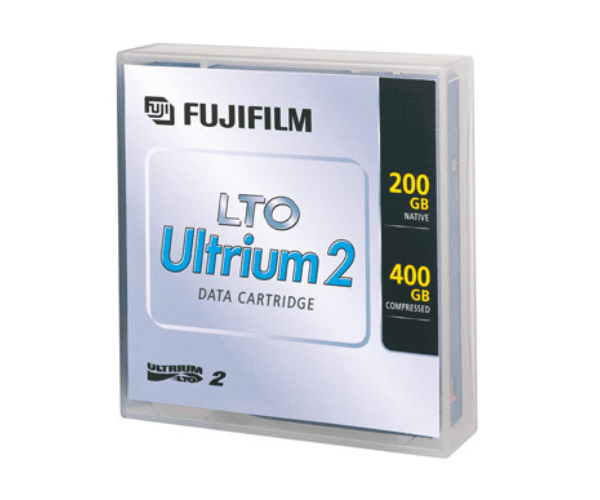
Buy the Fujifilm LTO 2 Ultrium Data Cartridge
Fujifilm LTO 2 Ultrium Data Cartridge represents the second generation of Linear Tape-Open (LTO) technology, providing enhanced storage capabilities for modern data management. With a native capacity of 200GB and a compressed capacity of 400GB, this cartridge offers substantial space for data storage. The Fujifilm LTO 2 Ultrium Data Cartridge also delivers impressive transfer speeds of up to 40MB/second natively and 80MB/second when compressed. Fujifilm’s advanced ATOMM™ Technology ensures both high performance and long-term reliability, making this cartridge a valuable asset for effective data backup and archival.
User Experience:
Users of the Fujifilm LTO 2 Ultrium appreciate its increased capacity and improved transfer speeds compared to earlier models. The combination of high capacity and efficient performance makes it a favored choice for data backup and archival. Fujifilm’s ATOMM™ Technology adds to the reliability of the cartridge, ensuring data integrity and longevity. Many IT professionals and businesses find the Fujifilm LTO 2 Cartridge to be a dependable and effective solution for managing their data storage needs.
Why Choose Fujifilm LTO 2 Ultrium Data Cartridge?
The
Fujifilm LTO 2 Ultrium stands out due to its high capacity, advanced technology, and reliable performance. With 200GB native storage and the ability to compress up to 400GB, this cartridge is ideal for users who require substantial data storage. Its fast transfer speeds and long archival life further enhance its appeal. By choosing the Fujifilm Data Cartridge, you invest in a proven, high-quality storage solution that meets the demands of modern data management.
Installation Steps:
- Preparation: Ensure the tape drive is turned off and unplugged before inserting the cartridge.
- Insert the Cartridge: Place the Fujifilm Data Cartridge into the designated slot of the tape drive.
- Power On: Switch on the tape drive and check if it recognizes the cartridge.
- Initialization: Follow the on-screen instructions to initialize the cartridge if necessary.
- Testing: Perform a test backup or restore to ensure the cartridge operates correctly and data is properly written and read.
Uses of the Fujifilm LTO 2 Ultrium:
- Data Backup: Ideal for efficient and high-capacity data backup operations.
- Long-Term Archival: Provides a reliable solution for storing data over extended periods.
- Data Management: Suitable for enterprises needing substantial storage capacity and performance.