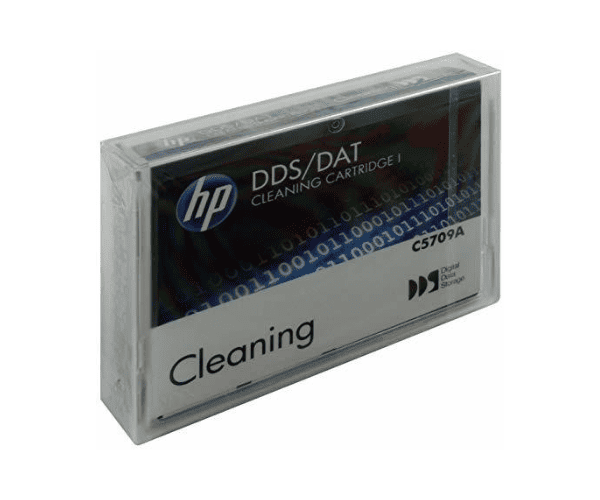
Buy the HP DDS / DAT Tape Cleaning Cartridge
HP DDS / DAT Tape Cleaning Cartridge is an essential tool for maintaining the performance and longevity of your DAT tape drives. Designed to offer efficient and reliable cleaning, this cartridge helps ensure optimal performance by removing dust and debris that can affect data quality. With its robust construction and high durability, the HP DDS Tape Cleaning Cartridge is built to withstand up to 50 cleaning cycles. It includes a poly case for safe storage, handling instructions, and write-on labels to keep track of usage.
Detailed Breakdown of Features:
- High Durability: The HP DDS / DAT Tape Cleaning Cartridge can endure up to 50 cleaning cycles, making it a long-lasting investment for maintaining your tape drive.
- Performance: It effectively removes dust and debris from your DAT tape drive, which helps prevent potential data loss and drive malfunctions.
- Included Accessories: The cartridge comes with a poly case for secure storage and handling instructions to ensure proper use.
- Write-On Labels: To help manage and track the cleaning process, the cartridge includes write-on labels for easy identification of cleaning cycles and dates.
User Experience:
Users appreciate the
HP DDS / DAT Tape Cleaning Cartridge for its reliability and effectiveness.
Many find that it significantly improves the performance of their DAT tape drives by reducing read and write errors caused by dust accumulation. The ease of use and clear handling instructions make it straightforward to incorporate into regular maintenance routines. Overall, users value its durability and the peace of mind it provides by ensuring their data storage equipment remains in top condition.
Why Choose HP DDS / DAT Tape Cleaning Cartridge?
Choosing the HP DDS Tape Cleaning Cartridge ensures that your DAT tape drive remains clean and operates at peak performance.
With its ability to perform up to 50 cleanings, it provides a cost-effective solution for maintaining drive functionality. The inclusion of a poly case, handling instructions, and write-on labels adds convenience and practicality.
Therefore, the HP DAT Tape Cleaning Cartridge is an excellent choice for anyone looking to protect their investment and ensure reliable data management.
Installation Steps:
- Preparation: Ensure that your DAT tape drive is powered off and disconnected from any power sources.
- Insert the Cartridge: Place the HP DDS Tape Cleaning Cartridge into the tape drive’s cleaning slot, aligning it properly.
- Power On: Reconnect the power and turn on the tape drive.
- Run Cleaning Cycle: Follow the manufacturer's instructions to initiate the cleaning cycle. This may involve pressing a specific button or accessing a menu option on the tape drive.
- Remove Cartridge: Once the cleaning cycle is complete, carefully remove the cartridge and store it in the provided poly case.
Uses of the HP DDS Tape Cleaning Cartridge:
- Drive Maintenance: Essential for maintaining the performance and longevity of DAT tape drives.
- Data Integrity: Helps prevent read/write errors by ensuring the tape drive is free from dust and debris.
- Operational Efficiency: Regular use of the cleaning cartridge can reduce the risk of drive malfunctions and data loss.