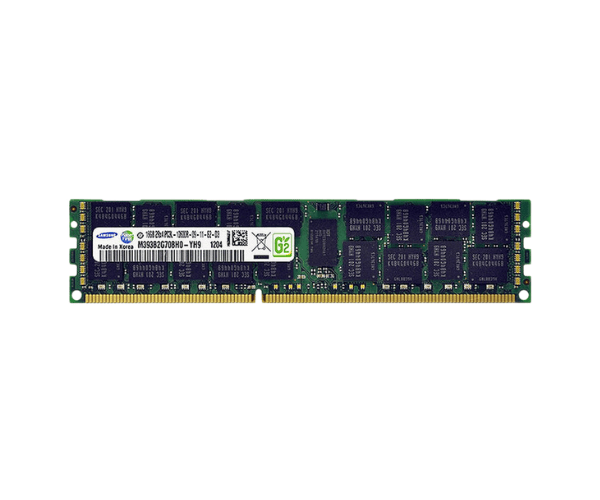
Introduction of Dell RYK18 8GB PC3-12800R 2Rx4 1600MHz Memory RDIMM
The
Dell RYK18 8GB PC3-12800R 2Rx4 1600MHz Memory RDIMM is a high-performance memory solution designed to enhance your server's efficiency and reliability. With a capacity of 8GB and a speed of 1600MHz, this memory module is perfect for data-intensive applications. Whether you’re running virtual machines or managing large databases, the Dell RYK18 ensures smooth operation and quick data access.
Why Choose the Dell RYK18 8GB PC3-12800R 2Rx4 1600MHz Memory RDIMM?
When considering a memory upgrade for your server, the
Dell RYK18 PC3-12800R 2Rx4 1600MHz Memory RDIMM stands out due to its exceptional performance and reliability. This memory module is built to handle demanding applications, making it an ideal choice for businesses looking to improve their server capabilities. The incorporation of Error Correction Code (ECC) technology ensures that data integrity is maintained, reducing the chances of data corruption.
User Experience
Users who have upgraded their systems with the
Dell RYK18 8GB PC3-12800R report significant improvements in system performance. The memory provides faster data processing, making multitasking seamless. Users also appreciate the reliability offered by this memory module, especially in environments where data accuracy is critical.
Detailed Breakdown of Features
- High Capacity: With 8GB of memory, the Dell RYK18 allows for smooth operation of multiple applications simultaneously.
- Fast Speed: Operating at 1600MHz, it provides quick access to data, enhancing overall system performance.
- ECC Technology: ECC technology plays a crucial role in maintaining data integrity by identifying and correcting errors in data storage, ensuring that the information remains accurate and reliable.
- Compatibility: Designed to be compatible with a variety of Dell servers and workstations.
- Enhanced Performance: Ideal for running virtual machines and heavy databases.
- Robust Build: Constructed for durability and long-lasting performance.
- Easy Installation: Simple to install, making upgrades hassle-free.
- Improved Multitasking: Allows users to run several applications at once without lag.
- Stable Operation: Maintains stability even under heavy loads.
- Cost-Effective Upgrade: Provides a budget-friendly option for enhancing server capabilities.
Installation Steps
- Prepare the Work Area: Ensure your workspace is clean and static-free.
- Power Down the Server: Turn off the server and unplug it from the power source.
- Open the Server Case: Follow the manufacturer’s instructions to safely open the server case.
- Locate the Memory Slots: Find the memory slots on the motherboard where the RAM can be installed.
- Align the Memory Module: Carefully align the Dell PC3-12800R with the memory slot, ensuring the notches match.
- Insert the Memory: Gently press down until the module clicks into place.
- Close the Server Case: Securely close the case following the manufacturer’s guidelines.
- Reconnect the Power Supply: Plug the server back into the power source.
- Boot the Server: Start the server and access the BIOS to verify that the memory has been detected.
Where It Can Be Used?
The
Dell 8GB PC3-12800R 2Rx4 1600MHz Memory RDIMM is ideal for a wide range of applications, such as:
- Data centers requiring robust memory for server operations.
- Virtualization setups that allow multiple operating systems to operate concurrently.
- Database management systems that demand high memory capacity for quick data retrieval.
- Workstations used for heavy-duty tasks like graphic design, 3D modeling, and software development.